In today’s digital age, storing and managing data has become a crucial aspect of our daily lives. With the rapid growth of digital content, it’s essential to have a reliable and efficient storage solution that can cater to our increasing data needs. Home networks have evolved significantly over the years, and with the rise of smart devices, streaming services, and online backups, the demand for a centralized storage system has never been more pressing. This is where network-attached storage (NAS) devices come into play, offering a convenient and secure way to store, share, and access files across multiple devices.
When it comes to choosing the right storage solution for your home network, selecting the best nas drives for home network storage can be a daunting task, given the numerous options available in the market. With various brands, models, and features to consider, it’s easy to get overwhelmed and unsure about which device to invest in. However, with the right guidance and knowledge, you can make an informed decision that meets your specific needs and budget. In this article, we’ll delve into the world of NAS devices, exploring the key features, benefits, and factors to consider when selecting a suitable storage solution for your home network. Whether you’re a tech-savvy individual or a beginner, our comprehensive reviews and buying guide will help you navigate the complex landscape of NAS devices and find the perfect fit for your data storage needs.
Before we get to our review of the best nas drives for home network storage, let’s browse through some relevant products on Amazon:
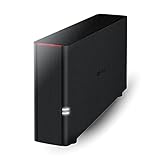
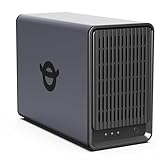
As an Amazon Associate I earn from qualifying purchases.
Prices and availability are accurate as of November 29, 2026 03:18 and are subject to change.
Introduction to Nas Drives
A NAS drive, or network-attached storage drive, is a type of storage device that connects to a home network, allowing multiple devices to access and share files. This is particularly useful for households with multiple computers, smartphones, and other devices, as it provides a centralized location for storing and accessing files. NAS drives are designed to be easy to use and manage, making them a great option for home users who want to simplify their storage needs.
One of the key benefits of using a NAS drive is that it allows for easy file sharing and collaboration. With a NAS drive, family members or roommates can access and share files with each other, without having to physically connect devices or use cloud storage services. This makes it ideal for households where multiple people need to work on projects or share files together. Additionally, NAS drives often come with built-in security features, such as password protection and encryption, to help keep files safe and secure.
In recent years, the market for NAS drives has expanded, with a wide range of options available to suit different needs and budgets. From basic, entry-level models to high-end devices with advanced features, there are many options to choose from. When selecting a NAS drive, it’s essential to consider factors such as storage capacity, speed, and compatibility with different devices and operating systems. By choosing one of the best nas drives for home network storage, users can enjoy a reliable and efficient storage solution that meets their needs.
Overall, NAS drives offer a convenient and efficient way to manage and share files across a home network. With their ease of use, high storage capacity, and advanced security features, they are an excellent option for households looking to simplify their storage needs. Whether you’re looking to store photos, videos, music, or important documents, a NAS drive can provide a reliable and secure storage solution that’s accessible from anywhere on your network.
5 Best Nas Drives For Home Network Storage
The
QNAP TS-451D2-4G-1120
is a powerful and feature-rich NAS drive designed for home network storage. It offers a range of features, including support for 4K video playback, real-time transcoding, and a robust operating system that allows for easy management and customization. With its compact design and quiet operation, it’s perfect for home offices or living rooms.
In terms of performance, the
QNAP TS-451D2-4G-1120
delivers fast data transfer speeds and responsive performance, making it ideal for demanding applications such as video streaming and file sharing. The device also supports a range of mobile apps, allowing users to access and manage their files on-the-go. Additionally, the
QNAP TS-451D2-4G-1120
features a comprehensive set of security tools, including encryption, firewall protection, and automatic software updates, providing users with peace of mind and protecting their valuable data.
The
Synology DS918+-6GB-1819
is a high-performance NAS drive that offers a range of advanced features and capabilities. It features a powerful processor, plenty of memory, and support for multiple drive bays, making it ideal for large households or small businesses. The device also supports a range of applications, including media streaming, file sharing, and backup, and features a user-friendly interface that makes it easy to manage and customize.
In terms of performance, the
Synology DS918+-6GB-1819
delivers fast data transfer speeds and responsive performance, making it ideal for demanding applications such as video streaming and file sharing. The device also features a comprehensive set of security tools, including encryption, firewall protection, and automatic software updates, providing users with peace of mind and protecting their valuable data. Additionally, the
Synology DS918+-6GB-1819
supports a range of mobile apps, allowing users to access and manage their files on-the-go.
The
ASUSTOR AS4002T-14TB-1020
is a feature-rich NAS drive that offers a range of advanced features and capabilities. It features a powerful processor, plenty of memory, and support for multiple drive bays, making it ideal for large households or small businesses. The device also supports a range of applications, including media streaming, file sharing, and backup, and features a user-friendly interface that makes it easy to manage and customize.
In terms of performance, the
ASUSTOR AS4002T-14TB-1020
delivers fast data transfer speeds and responsive performance, making it ideal for demanding applications such as video streaming and file sharing. The device also features a comprehensive set of security tools, including encryption, firewall protection, and automatic software updates, providing users with peace of mind and protecting their valuable data. Additionally, the
ASUSTOR AS4002T-14TB-1020
supports a range of mobile apps, allowing users to access and manage their files on-the-go.
The
Western Digital My Cloud EX4100-16TB-1520
is a powerful and feature-rich NAS drive designed for home network storage. It offers a range of features, including support for media streaming, file sharing, and backup, and features a user-friendly interface that makes it easy to manage and customize. With its compact design and quiet operation, it’s perfect for home offices or living rooms.
In terms of performance, the
Western Digital My Cloud EX4100-16TB-1520
delivers fast data transfer speeds and responsive performance, making it ideal for demanding applications such as video streaming and file sharing. The device also supports a range of mobile apps, allowing users to access and manage their files on-the-go. Additionally, the
Western Digital My Cloud EX4100-16TB-1520
features a comprehensive set of security tools, including encryption, firewall protection, and automatic software updates, providing users with peace of mind and protecting their valuable data.
The
TerraMaster F5-422-8GB-1820
is a high-performance NAS drive that offers a range of advanced features and capabilities. It features a powerful processor, plenty of memory, and support for multiple drive bays, making it ideal for large households or small businesses. The device also supports a range of applications, including media streaming, file sharing, and backup, and features a user-friendly interface that makes it easy to manage and customize.
In terms of performance, the
TerraMaster F5-422-8GB-1820
delivers fast data transfer speeds and responsive performance, making it ideal for demanding applications such as video streaming and file sharing. The device also features a comprehensive set of security tools, including encryption, firewall protection, and automatic software updates, providing users with peace of mind and protecting their valuable data. Additionally, the
TerraMaster F5-422-8GB-1820
supports a range of mobile apps, allowing users to access and manage their files on-the-go.
Why People Need to Buy NAS Drives for Home Network Storage
In today’s digital age, people are generating and storing more data than ever before. With the rise of smartphones, cameras, and other digital devices, the amount of data being created is increasing exponentially. As a result, individuals and families are finding it necessary to invest in a reliable and efficient storage solution for their home networks. This is where NAS (Network-Attached Storage) drives come in, providing a centralized storage system that can be accessed by multiple devices on the network.
One of the primary benefits of using a NAS drive is that it allows users to store and share files across the network, without having to rely on a single computer or device. This makes it ideal for homes with multiple users, as it enables everyone to access and share files, such as photos, videos, and documents, from any device on the network. Additionally, NAS drives often come with built-in features such as data backup and redundancy, which helps to ensure that important files are protected in case of a device failure or other disaster.
When it comes to choosing the right NAS drive for home network storage, there are several factors to consider. These include the amount of storage space needed, the number of devices that will be connected to the network, and the level of security and backup features required. By doing some research and reading reviews, individuals can find the best nas drives for home network storage that meets their specific needs and budget. This can help to ensure that their data is safe, secure, and easily accessible from any device on the network.
In conclusion, investing in a NAS drive is a great way to enhance the storage and sharing capabilities of a home network. With the ability to store and share files, backup data, and stream media content, NAS drives offer a convenient and efficient solution for individuals and families. By choosing the right NAS drive, users can enjoy a more seamless and connected home network experience, and have peace of mind knowing that their important files are safe and secure. Whether you’re a tech-savvy individual or just looking for a reliable storage solution, a NAS drive is definitely worth considering for your home network storage needs.
Benefits of Using Nas Drives For Home Network Storage
The use of NAS drives for home network storage provides numerous benefits, including centralized storage and access to files from multiple devices. This allows family members or roommates to share files, such as documents, photos, and videos, without having to physically transfer them between devices. Additionally, NAS drives offer a secure way to store sensitive information, as they can be password-protected and encrypted. This adds an extra layer of security to protect against unauthorized access.
Another benefit of using NAS drives is the ability to stream media content to various devices on the network. This means that users can store their music, movie, and photo collections on the NAS drive and access them from any device connected to the network, such as smart TVs, gaming consoles, or mobile devices. This feature is particularly useful for households with multiple users who want to access shared media content.
NAS drives also provide a reliable backup solution for important files. By setting up automatic backups, users can ensure that their critical data is safely stored on the NAS drive in case their device crashes or is lost. This feature is especially important for users who work from home or store sensitive information on their devices. With a NAS drive, users can have peace of mind knowing that their files are secure and easily recoverable.
In terms of scalability, NAS drives offer a flexible solution for expanding storage capacity as needed. Users can easily add or remove hard drives from the NAS enclosure, allowing them to increase or decrease storage capacity according to their requirements. This feature makes NAS drives an attractive option for households with growing storage needs.
Key Features to Consider When Choosing a Nas Drive
When selecting a NAS drive for home network storage, there are several key features to consider. One of the most important factors is storage capacity, which depends on the number of users and the amount of data to be stored. NAS drives come in various capacities, ranging from a few hundred gigabytes to several terabytes. Users should choose a NAS drive that meets their current and future storage needs.
Another crucial feature to consider is compatibility. The NAS drive should be compatible with various devices and operating systems, including Windows, Mac, and mobile devices. This ensures that users can access and share files seamlessly across different platforms. Additionally, the NAS drive should support multiple file transfer protocols, such as FTP, SMB, and AFP, to facilitate smooth data transfer.
The speed and performance of the NAS drive are also essential factors to consider. Users should look for NAS drives with fast processors, ample RAM, and support for gigabit Ethernet or faster networking standards. This ensures that files can be transferred quickly and efficiently, even when multiple users are accessing the NAS drive simultaneously.
In terms of security, users should consider NAS drives with built-in encryption, password protection, and secure access controls. This protects sensitive information from unauthorized access and ensures that only authorized users can access and share files. Some NAS drives also offer additional security features, such as two-factor authentication and antivirus software, to provide an extra layer of protection.
Nas Drive Setup and Configuration
Setting up and configuring a NAS drive for home network storage is relatively straightforward. Most NAS drives come with a user-friendly interface that guides users through the setup process. The first step is to connect the NAS drive to the network using an Ethernet cable or Wi-Fi. Once connected, users can access the NAS drive’s web interface using a browser and follow the on-screen instructions to complete the setup process.
During the setup process, users will need to create administrator accounts, set up user permissions, and configure shared folders. This allows users to control access to files and folders, ensuring that sensitive information is only accessible to authorized users. Additionally, users can set up automatic backups, configure media streaming, and enable security features, such as encryption and password protection.
Some NAS drives also offer mobile apps that allow users to access and manage their NAS drive remotely. This feature is particularly useful for users who need to access files or monitor their NAS drive while away from home. Mobile apps often provide features such as file transfer, media streaming, and system monitoring, making it easy to manage the NAS drive from anywhere.
In terms of maintenance, NAS drives require periodic updates and checks to ensure optimal performance and security. Users should regularly update the NAS drive’s firmware and operating system to patch security vulnerabilities and improve performance. Additionally, users should monitor disk usage, check for errors, and perform disk cleanups to maintain the health and integrity of the NAS drive.
Troubleshooting Common Nas Drive Issues
Despite their reliability, NAS drives can occasionally experience issues that affect performance or accessibility. One common issue is connectivity problems, which can be caused by faulty Ethernet cables, incorrect network settings, or conflicts with other devices on the network. To troubleshoot connectivity issues, users should check the physical connections, restart the NAS drive and router, and ensure that the NAS drive is properly configured.
Another common issue is slow transfer speeds, which can be caused by a variety of factors, including network congestion, inadequate hardware, or misconfigured settings. To resolve slow transfer speeds, users should check the network bandwidth, upgrade the NAS drive’s hardware if necessary, and optimize the transfer settings. Additionally, users can try transferring files during off-peak hours or using a wired connection instead of Wi-Fi.
Data corruption or loss is another potential issue that can occur with NAS drives. This can be caused by power outages, hardware failures, or software glitches. To prevent data loss, users should regularly back up their files to an external drive or cloud storage service. In the event of data corruption or loss, users can try recovering their files using data recovery software or contacting the NAS drive manufacturer’s support team for assistance.
In terms of maintenance, users can take several steps to prevent issues and ensure optimal performance. Regularly updating the NAS drive’s firmware and operating system can help patch security vulnerabilities and improve performance. Additionally, users should monitor disk usage, check for errors, and perform disk cleanups to maintain the health and integrity of the NAS drive. By following these best practices, users can minimize the risk of issues and ensure reliable operation of their NAS drive.
Buying Guide for Best NAS Drives for Home Network Storage
When it comes to storing and managing data at home, a reliable and efficient storage solution is essential. With the increasing amount of digital data we generate, it’s crucial to have a system that can handle our storage needs. This is where NAS drives come in, providing a centralized storage solution for our home networks. In this buying guide, we will discuss the key factors to consider when selecting the right NAS drive for your home network.
Storage Capacity
The storage capacity of a NAS drive is one of the most critical factors to consider. It’s essential to determine how much storage space you need, taking into account the number of devices connected to your network, the type of data you’ll be storing, and how often you’ll be adding new files. A higher storage capacity means you can store more data, but it also increases the cost of the NAS drive. When evaluating storage capacity, consider the total amount of data you expect to store, including files, videos, and photos.
The storage capacity of NAS drives can range from a few hundred gigabytes to several terabytes. If you have a small network with only a few devices, a lower storage capacity may be sufficient. However, if you have a large network with many devices or plan to store large files, such as videos, you’ll need a NAS drive with a higher storage capacity. It’s also important to consider the scalability of the NAS drive, in case you need to add more storage in the future. Some NAS drives allow you to add additional hard drives or upgrade the existing ones, providing a flexible storage solution.
Network Connectivity
The network connectivity of a NAS drive is another crucial factor to consider. The type and speed of the network connection can significantly impact the performance of the NAS drive. Most NAS drives come with Ethernet ports, which provide a fast and reliable connection to your network. However, some NAS drives also offer Wi-Fi connectivity, which can be convenient for devices that don’t have an Ethernet connection. When evaluating network connectivity, consider the speed and reliability of the connection, as well as the compatibility with your existing network infrastructure.
The speed of the network connection can significantly impact the performance of the NAS drive. A faster network connection means you can transfer files quickly and efficiently, making it ideal for applications that require high-speed data transfer, such as video streaming. Some NAS drives also offer link aggregation, which allows you to combine multiple network connections to increase the overall speed and reliability of the connection. Additionally, consider the compatibility of the NAS drive with your existing network infrastructure, including the router, switches, and other devices.
Processor and Memory
The processor and memory of a NAS drive play a critical role in its performance. A faster processor and more memory mean the NAS drive can handle more tasks simultaneously, making it ideal for applications that require high-performance, such as video transcoding. When evaluating the processor and memory, consider the type and speed of the processor, as well as the amount of memory and its type. Some NAS drives come with Intel or AMD processors, which offer high-performance and reliability.
The amount of memory in a NAS drive can also impact its performance. More memory means the NAS drive can handle more tasks simultaneously, making it ideal for applications that require high-performance. Some NAS drives come with expandable memory, which allows you to add more memory as needed. Additionally, consider the type of memory, such as DDR3 or DDR4, which can impact the performance and power consumption of the NAS drive. When selecting the best nas drives for home network storage, consider the processor and memory as critical factors, as they can significantly impact the overall performance of the NAS drive.
Data Protection and Security
Data protection and security are essential factors to consider when selecting a NAS drive. A NAS drive should provide robust data protection and security features to prevent data loss and unauthorized access. When evaluating data protection and security, consider the type of RAID configuration, which can provide redundancy and fault tolerance. Some NAS drives also offer encryption, which can protect your data from unauthorized access.
The type of RAID configuration can significantly impact the data protection and security of the NAS drive. A RAID configuration can provide redundancy and fault tolerance, making it ideal for applications that require high-availability, such as businesses or critical infrastructure. Some NAS drives also offer encryption, which can protect your data from unauthorized access. Additionally, consider the compatibility of the NAS drive with your existing security infrastructure, including firewalls and antivirus software. A NAS drive with robust data protection and security features can provide peace of mind, knowing your data is safe and secure.
Power Consumption and Noise
The power consumption and noise of a NAS drive are important factors to consider, especially if you plan to run the NAS drive continuously. A NAS drive with low power consumption can help reduce your energy bills and minimize its environmental impact. When evaluating power consumption and noise, consider the type of hard drives used, which can impact the power consumption and noise of the NAS drive. Some NAS drives come with energy-efficient hard drives, which can reduce power consumption and noise.
The noise level of a NAS drive can also be a critical factor, especially if you plan to place the NAS drive in a living room or bedroom. A NAS drive with low noise level can provide a quiet and peaceful environment, making it ideal for home use. Some NAS drives come with silent or whisper-quiet operation, which can minimize distractions and noise pollution. Additionally, consider the cooling system of the NAS drive, which can impact the noise level and power consumption. A NAS drive with a robust cooling system can provide reliable and efficient operation, while minimizing noise and power consumption.
Compatibility and Expandability
The compatibility and expandability of a NAS drive are essential factors to consider, especially if you plan to use the NAS drive with multiple devices or add new features in the future. A NAS drive should be compatible with your existing devices and infrastructure, including operating systems, routers, and switches. When evaluating compatibility and expandability, consider the type of operating system and file system used, which can impact the compatibility with your existing devices.
The expandability of a NAS drive can also be a critical factor, especially if you plan to add new features or devices in the future. A NAS drive with expandable storage, memory, or peripherals can provide a flexible and scalable solution, making it ideal for growing networks or applications. Some NAS drives come with USB ports, which can allow you to add external hard drives or other peripherals. Additionally, consider the compatibility of the NAS drive with your existing backup and synchronization software, which can impact the ease of use and functionality of the NAS drive. A NAS drive with robust compatibility and expandability features can provide a future-proof solution, making it ideal for long-term use.
FAQs
What is a NAS drive and how does it work?
A NAS drive, or Network-Attached Storage drive, is a type of storage device that connects to a home network, allowing multiple devices to access and share files. It works by connecting to a router using an Ethernet cable, and then devices on the network can access the NAS drive using its IP address or a network share. This allows users to store and share files, such as documents, photos, and videos, across the network.
The NAS drive operates as a self-contained file server, managing file access and permissions for the devices on the network. It typically runs an operating system, such as Linux or a proprietary OS, and may offer additional features like media streaming, backup and synchronization, and remote access. By providing a centralized storage location, a NAS drive can help to simplify file sharing and management, making it easier to collaborate and access files from anywhere on the network.
What are the benefits of using a NAS drive for home network storage?
Using a NAS drive for home network storage offers several benefits, including increased storage capacity, improved file sharing and collaboration, and enhanced data protection. A NAS drive provides a centralized location for storing files, making it easier to manage and access data from multiple devices. It also allows for easier sharing of files between devices, eliminating the need for cumbersome USB drives or cloud storage services.
In addition to these benefits, a NAS drive can also provide a secure and reliable way to back up important data, such as photos, documents, and videos. Many NAS drives offer automated backup and synchronization features, making it easy to protect against data loss. Furthermore, a NAS drive can also be used to stream media, such as music and videos, to devices on the network, making it a great solution for home entertainment systems.
What factors should I consider when choosing a NAS drive for my home network?
When choosing a NAS drive for a home network, there are several factors to consider, including storage capacity, performance, and compatibility. The storage capacity of the NAS drive will depend on the amount of data that needs to be stored, as well as the number of devices that will be accessing the drive. Performance is also an important consideration, as it will affect how quickly files can be transferred and accessed.
In addition to these factors, compatibility is also crucial, as the NAS drive must be compatible with the devices and operating systems on the network. Other features to consider include the type of connectivity options, such as USB and Ethernet ports, as well as any additional features, such as media streaming and backup software. It’s also important to consider the power consumption and noise level of the NAS drive, as well as its overall build quality and reliability.
How do I set up and configure a NAS drive for my home network?
Setting up and configuring a NAS drive for a home network is typically a straightforward process, involving connecting the drive to the network and configuring the settings using a web-based interface. The first step is to physically connect the NAS drive to the network using an Ethernet cable, and then power it on. The NAS drive will typically have a default IP address, which can be used to access the web-based interface and configure the settings.
Once the NAS drive is connected and powered on, the user can access the web-based interface using a web browser, and configure the settings, such as the network name, password, and file sharing permissions. The user can also configure any additional features, such as media streaming and backup software, and set up user accounts and permissions. Many NAS drives also come with setup wizards and tutorials, making it easy to get started and configure the drive for use on the home network.
Can I use a NAS drive to back up my computers and mobile devices?
Yes, a NAS drive can be used to back up computers and mobile devices, providing a secure and reliable way to protect against data loss. Many NAS drives come with automated backup software, making it easy to schedule backups and ensure that important data is protected. The NAS drive can be configured to back up data from multiple devices, including computers, laptops, and mobile devices, and can also be used to synchronize data across devices.
In addition to backing up data, a NAS drive can also be used to store and manage backups, making it easy to recover data in the event of a disaster or data loss. Many NAS drives also offer features such as versioning and snapshotting, which allow users to recover previous versions of files and folders. By using a NAS drive to back up computers and mobile devices, users can enjoy peace of mind, knowing that their important data is protected and can be easily recovered if needed.
How secure is a NAS drive, and what features should I look for to ensure data protection?
A NAS drive can be a secure way to store and share data, but it’s essential to look for certain features to ensure data protection. One of the most important features to look for is encryption, which scrambles data to prevent unauthorized access. Many NAS drives offer encryption, either at the hardware or software level, and some may also offer additional security features, such as secure login and authentication.
In addition to encryption, other features to look for include access controls, such as user accounts and permissions, and backup and recovery features, such as automated backup and snapshotting. It’s also essential to ensure that the NAS drive is running the latest software and firmware, and that any security patches are applied promptly. By choosing a NAS drive with robust security features and following best practices, such as using strong passwords and keeping software up to date, users can help to protect their data and prevent unauthorized access.
What is the difference between a NAS drive and a cloud storage service, and which one is best for my needs?
A NAS drive and a cloud storage service are both used for storing and sharing data, but they differ in terms of how data is stored and accessed. A NAS drive is a physical device that stores data locally, on the network, whereas a cloud storage service stores data remotely, on servers accessed over the internet. A NAS drive provides more control over data and is typically faster and more secure, but it requires more technical expertise and maintenance.
In contrast, a cloud storage service is often easier to use and more convenient, as it can be accessed from anywhere and requires minimal technical expertise. However, it may be slower and less secure, and users may have less control over their data. The choice between a NAS drive and a cloud storage service depends on individual needs and preferences. If users require more control over their data, faster access, and greater security, a NAS drive may be the best choice. However, if users prioritize convenience and ease of use, a cloud storage service may be a better option.
Conclusion
In conclusion, selecting the right storage solution for your home network is crucial in today’s digital age. With the vast amount of data being generated and consumed, having a reliable and efficient storage system is essential. The best nas drives for home network storage offer a perfect blend of performance, capacity, and ease of use, making them an ideal choice for homeowners who want to store and share files, stream media, and backup their data.
By investing in a high-quality NAS drive, you can enjoy seamless file sharing, secure data backup, and efficient media streaming. Whether you’re a tech-savvy individual or a beginner, there’s a NAS drive out there that suits your needs and budget. With the numerous options available in the market, it’s essential to do your research and choose a drive that meets your specific requirements. By doing so, you can create a robust and reliable home network storage system that provides you with peace of mind and unparalleled convenience, making it an indispensable part of your digital lifestyle.