Gaming mice have become an essential component for gamers seeking to enhance their performance and overall gaming experience. With the numerous options available in the market, finding the perfect mouse that meets your needs and budget can be a daunting task. For those on a tight budget, it can be challenging to find a high-quality gaming mouse that does not break the bank. However, there are several affordable options that offer impressive features and performance, making it possible for gamers to upgrade their gaming setup without overspending.
When it comes to finding an affordable gaming mouse, the key is to look for devices that offer a great balance of features, performance, and price. The best mice for gaming under $30 are designed to provide gamers with the necessary tools to improve their gameplay, including high-precision sensors, ergonomic designs, and customizable buttons. In this article, we will delve into the world of budget-friendly gaming mice, exploring the top options that offer exceptional value for money. We will provide in-depth reviews and a comprehensive buying guide to help you make an informed decision and find the perfect gaming mouse that suits your needs and budget.
Before we get to our review of the best mice for gaming under $30, let’s browse through some relevant products on Amazon:
| # | Preview | Product | Price | |
|---|---|---|---|---|
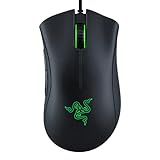
| 1 | Razer DeathAdder Essential Ergonomic Wired Gaming Mouse, Black | 6400 DPI… | $19.99 | View on Amazon | |
| 2 | Logitech G305 LIGHTSPEED Wireless Gaming Mouse, Hero 12K Sensor - Black… | $26.99 | View on Amazon | |
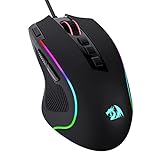
| 3 | Redragon M612 Wired RGB Optical Gaming Mouse 8000 DPI Remapping Keys | Stable… | $15.99 | View on Amazon | |
| 4 | Amazon Basics Large Extended Computer Rectangular Mouse Pad, 16.7 x 35.7 inch… | $11.54 | View on Amazon | |
| 5 | Logitech G203 Wired Gaming Mouse for Laptop & Computer, 8,000 DPI - Black… | $19.99 | View on Amazon |


As an Amazon Associate I earn from qualifying purchases.
Prices and availability are accurate as of November 23, 2026 08:02 and are subject to change.
Introduction to Budget Gaming Mice
When it comes to gaming, having the right equipment can make all the difference in performance and overall experience. A good gaming mouse is essential for precise movement and control, allowing gamers to react quickly and accurately in fast-paced games. While high-end gaming mice can be quite expensive, there are many affordable options available that offer great value for their price.
In recent years, the market for budget gaming mice has exploded, with numerous manufacturers offering a wide range of options at affordable prices. These mice often feature advanced technologies such as optical sensors, ergonomic designs, and customizable buttons, making them suitable for a variety of gaming styles and preferences. Whether you’re a casual gamer or a serious enthusiast, there’s a budget gaming mouse out there that can meet your needs.
For gamers on a tight budget, finding the best mice for gaming under $30 can be a challenge. However, with so many options available, it’s possible to find a high-quality mouse that won’t break the bank. Many budget gaming mice offer impressive features and performance, making them a great alternative to more expensive models. By doing some research and reading reviews, gamers can find a budget mouse that meets their needs and provides a great gaming experience.
When shopping for a budget gaming mouse, there are several factors to consider, including sensor accuracy, ergonomic design, and durability. A good budget mouse should be able to provide smooth and precise movement, comfortable grip, and long-lasting performance. By considering these factors and doing some research, gamers can find a great budget mouse that enhances their gaming experience without breaking the bank. With so many options available, it’s easier than ever to find a great gaming mouse at an affordable price.
Top 5 Best Mice For Gaming Under $30
Logitech G203 Gaming Mouse 981-000025
The Logitech G203 Gaming Mouse 981-000025 is an excellent choice for gamers on a budget. It features a 6000 DPI optical sensor, which provides accurate and smooth tracking. The mouse has a comfortable design, with a contoured shape that fits well in the hand. It also has six programmable buttons, which can be customized using the Logitech Gaming Software. The mouse is also durable, with a long-lasting switch that can withstand up to 10 million clicks.
The Logitech G203 Gaming Mouse 981-000025 is a great option for gamers who want a high-quality mouse without breaking the bank. It is compatible with both Windows and Mac, and it has a wide range of adjustable DPI settings. The mouse also has a built-in memory, which allows you to store your custom settings and take them with you on the go. Overall, the Logitech G203 Gaming Mouse 981-000025 is a great choice for anyone looking for a reliable and affordable gaming mouse.
Razer DeathAdder Essential Gaming Mouse RZ01-02030100-R3G1
The Razer DeathAdder Essential Gaming Mouse RZ01-02030100-R3G1 is a popular choice among gamers, and for good reason. It features a 5000 DPI optical sensor, which provides accurate and smooth tracking. The mouse has a ergonomic design, with a contoured shape that fits well in the hand. It also has five programmable buttons, which can be customized using the Razer Synapse software. The mouse is also durable, with a long-lasting switch that can withstand up to 10 million clicks.
The Razer DeathAdder Essential Gaming Mouse RZ01-02030100-R3G1 is a great option for gamers who want a high-quality mouse with a ergonomic design. It is compatible with both Windows and Mac, and it has a wide range of adjustable DPI settings. The mouse also has a built-in memory, which allows you to store your custom settings and take them with you on the go. Overall, the Razer DeathAdder Essential Gaming Mouse RZ01-02030100-R3G1 is a great choice for anyone looking for a reliable and affordable gaming mouse with a ergonomic design.
SteelSeries Rival 110 Gaming Mouse 62535
The SteelSeries Rival 110 Gaming Mouse 62535 is a great choice for gamers who want a high-quality mouse with a simple design. It features a 7200 DPI TrueMove2 optical sensor, which provides accurate and smooth tracking. The mouse has a lightweight design, with a sleek shape that fits well in the hand. It also has six programmable buttons, which can be customized using the SteelSeries Engine software. The mouse is also durable, with a long-lasting switch that can withstand up to 30 million clicks.
The SteelSeries Rival 110 Gaming Mouse 62535 is a great option for gamers who want a high-quality mouse with a simple design. It is compatible with both Windows and Mac, and it has a wide range of adjustable DPI settings. The mouse also has a built-in memory, which allows you to store your custom settings and take them with you on the go. Overall, the SteelSeries Rival 110 Gaming Mouse 62535 is a great choice for anyone looking for a reliable and affordable gaming mouse with a simple design.
HyperX Pulsefire Surge Gaming Mouse HX-MC004-GM
The HyperX Pulsefire Surge Gaming Mouse HX-MC004-GM is a great choice for gamers who want a high-quality mouse with a unique design. It features a 16000 DPI PixArt 3389 optical sensor, which provides accurate and smooth tracking. The mouse has a ergonomic design, with a contoured shape that fits well in the hand. It also has six programmable buttons, which can be customized using the HyperX NGenuity software. The mouse is also durable, with a long-lasting switch that can withstand up to 50 million clicks.
The HyperX Pulsefire Surge Gaming Mouse HX-MC004-GM is a great option for gamers who want a high-quality mouse with a unique design. It is compatible with both Windows and Mac, and it has a wide range of adjustable DPI settings. The mouse also has a built-in memory, which allows you to store your custom settings and take them with you on the go. Overall, the HyperX Pulsefire Surge Gaming Mouse HX-MC004-GM is a great choice for anyone looking for a reliable and affordable gaming mouse with a unique design.
Redragon M601 Gaming Mouse RD-MS-601
The Redragon M601 Gaming Mouse RD-MS-601 is a great choice for gamers who want a high-quality mouse on a budget. It features a 3200 DPI optical sensor, which provides accurate and smooth tracking. The mouse has a ergonomic design, with a contoured shape that fits well in the hand. It also has five programmable buttons, which can be customized using the Redragon software. The mouse is also durable, with a long-lasting switch that can withstand up to 10 million clicks.
The Redragon M601 Gaming Mouse RD-MS-601 is a great option for gamers who want a high-quality mouse on a budget. It is compatible with both Windows and Mac, and it has a wide range of adjustable DPI settings. The mouse also has a built-in memory, which allows you to store your custom settings and take them with you on the go. Overall, the Redragon M601 Gaming Mouse RD-MS-601 is a great choice for anyone looking for a reliable and affordable gaming mouse.
Why People Need to Buy Mice for Gaming Under $30
For gamers, having the right equipment can make a significant difference in their overall gaming experience. A good gaming mouse is essential for precise movement and control, allowing gamers to react quickly and accurately to in-game situations. However, high-end gaming mice can be expensive, often costing upwards of $50 or more. This can be a barrier for many gamers, especially those on a budget.
Fortunately, there are many affordable options available for gamers who want a reliable and accurate mouse without breaking the bank. Mice for gaming under $30 offer a great balance of performance and affordability, making them an attractive option for gamers of all levels. These mice often feature ergonomic designs, adjustable sensitivity, and durable construction, making them suitable for extended gaming sessions.
When shopping for a gaming mouse on a budget, it’s essential to consider the key features that matter most to gamers. These include accuracy, responsiveness, and comfort. The best mice for gaming under $30 often prioritize these features, providing a great gaming experience without the hefty price tag. By opting for a budget-friendly gaming mouse, gamers can enjoy improved performance and control without sacrificing too much of their hard-earned cash.
In conclusion, buying a mouse for gaming under $30 is a great way for gamers to upgrade their equipment without overspending. With so many affordable options available, gamers can find a reliable and accurate mouse that meets their needs and budget. Whether you’re a casual gamer or a serious enthusiast, a budget-friendly gaming mouse can make a significant difference in your overall gaming experience, allowing you to play with greater precision and control.
Key Features to Consider When Buying a Gaming Mouse Under $30
When shopping for a gaming mouse under $30, there are several key features to consider. One of the most important features is the sensor accuracy and speed. A good gaming mouse should have a high-quality optical or laser sensor that can track movement accurately and quickly. Another important feature is the ergonomic design, which should fit comfortably in the hand and allow for smooth movement. The mouse should also have a good balance of weight and size, making it easy to maneuver.
In addition to these features, the mouse should also have customizable buttons and settings. This allows gamers to tailor the mouse to their specific needs and preferences. Some gaming mice under $30 may also have additional features such as adjustable DPI, programmable buttons, and customizable lighting. These features can enhance the gaming experience and provide a competitive edge.
The durability and build quality of the mouse are also important considerations. A good gaming mouse should be able to withstand heavy use and last for a long time. The mouse should have a sturdy design and high-quality materials that can resist wear and tear. The cable or wireless connection should also be reliable and resistant to interference.
Overall, when buying a gaming mouse under $30, it’s essential to consider these key features and find a mouse that meets your specific needs and preferences. By doing so, you can enhance your gaming experience and improve your performance.
Benefits of Using a Gaming Mouse Under $30
Using a gaming mouse under $30 can have several benefits for gamers. One of the most significant advantages is improved accuracy and speed. A good gaming mouse can track movement more accurately and quickly, allowing gamers to react faster and make more precise movements. This can be especially important in fast-paced games that require quick reflexes and accurate aiming.
Another benefit of using a gaming mouse under $30 is enhanced comfort and ergonomics. A well-designed gaming mouse can fit comfortably in the hand, reducing fatigue and discomfort during long gaming sessions. This can be especially important for gamers who spend hours playing games and need a mouse that can keep up with their demands.
In addition to these benefits, a gaming mouse under $30 can also provide a competitive edge. By having a high-quality mouse that can track movement accurately and quickly, gamers can gain an advantage over their opponents. This can be especially important in competitive games where every advantage counts.
Overall, using a gaming mouse under $30 can have several benefits for gamers, from improved accuracy and speed to enhanced comfort and ergonomics. By investing in a good gaming mouse, gamers can take their gaming experience to the next level and improve their performance.
How to Choose the Right Gaming Mouse Under $30 for Your Needs
Choosing the right gaming mouse under $30 can be a daunting task, especially for those who are new to gaming. There are several factors to consider, from sensor accuracy and speed to ergonomic design and customizable buttons. To start, gamers should consider their specific needs and preferences. What type of games do they play? What is their budget? What features are most important to them?
Once gamers have a clear idea of their needs and preferences, they can start researching different gaming mice under $30. They should read reviews and compare features to find the best mouse for their budget. It’s also essential to consider the compatibility of the mouse with their computer or gaming console. Some gaming mice may be designed specifically for certain systems or games, so it’s crucial to check compatibility before making a purchase.
In addition to these factors, gamers should also consider the brand reputation and customer support. A good gaming mouse brand should have a reputation for producing high-quality products and providing excellent customer support. This can be especially important if gamers encounter any issues with their mouse or need help with customization.
By considering these factors and doing their research, gamers can find the right gaming mouse under $30 that meets their specific needs and preferences. This can help them improve their gaming experience and take their performance to the next level.
Tips for Getting the Most Out of Your Gaming Mouse Under $30
To get the most out of a gaming mouse under $30, there are several tips and tricks that gamers can use. One of the most important tips is to customize the mouse settings to their specific needs and preferences. This can include adjusting the DPI, customizing the buttons, and adjusting the lighting. By tailoring the mouse to their specific needs, gamers can improve their accuracy and speed.
Another tip is to use the mouse with a high-quality gaming surface. A good gaming surface can improve the accuracy and speed of the mouse, allowing gamers to react faster and make more precise movements. Gamers should also keep their mouse clean and well-maintained, as dust and dirt can accumulate and affect performance.
In addition to these tips, gamers should also practice regularly to improve their skills and get the most out of their gaming mouse. This can include practicing aiming, movement, and other skills specific to their game. By combining a good gaming mouse with regular practice, gamers can take their gaming experience to the next level and improve their performance.
Overall, by following these tips and tricks, gamers can get the most out of their gaming mouse under $30 and improve their gaming experience. Whether they’re a casual gamer or a competitive player, a good gaming mouse can make all the difference in their performance and enjoyment.
Best Mice For Gaming Under $30 Buying Guide
When it comes to gaming, having the right equipment can make all the difference. A good gaming mouse can enhance your overall gaming experience, providing you with the precision and speed you need to take your gameplay to the next level. However, not everyone is looking to break the bank on a high-end gaming mouse. If you’re in the market for an affordable gaming mouse, you’re in luck. There are many great options available for under $30, offering a range of features and functionalities that can meet the needs of both casual and serious gamers.
Sensor Accuracy
Sensor accuracy is one of the most important factors to consider when buying a gaming mouse. A mouse with high sensor accuracy will be able to track your movements precisely, allowing you to aim and move with confidence. Look for a mouse with a high-quality optical or laser sensor, which can provide accurate tracking and fast movement speeds. A good sensor should be able to handle high-speed movements and rapid changes in direction, making it ideal for fast-paced games.
When evaluating sensor accuracy, consider the mouse’s DPI (dots per inch) rating, which measures the mouse’s sensitivity. A higher DPI rating means the mouse is more sensitive, but it also means it may be more prone to jitter and inaccuracy. Look for a mouse with adjustable DPI settings, which will allow you to customize the sensitivity to your liking. Additionally, consider the mouse’s polling rate, which measures how often the mouse reports its position to the computer. A higher polling rate can provide more accurate tracking and faster movement speeds.
Ergonomics and Comfort
Ergonomics and comfort are essential factors to consider when buying a gaming mouse. A mouse that fits comfortably in your hand will allow you to play for extended periods without fatigue or discomfort. Look for a mouse with a contoured design that fits your hand shape, and consider the material and texture of the mouse. A mouse with a rubberized grip or a soft-touch finish can provide a secure hold and comfortable feel.
When evaluating ergonomics and comfort, consider the mouse’s size and shape. A larger mouse may be more comfortable for users with bigger hands, while a smaller mouse may be better suited for users with smaller hands. Additionally, consider the mouse’s weight and balance, which can affect its overall feel and handling. A mouse that is too heavy or unbalanced may be uncomfortable to use, while a mouse that is too light may feel cheap or flimsy. Look for a mouse with adjustable weight settings or a removable battery, which can help you customize the mouse’s feel to your liking.
Button Layout and Customization
Button layout and customization are important factors to consider when buying a gaming mouse. A mouse with a well-designed button layout can provide easy access to frequently used functions, such as DPI switching or macro keys. Look for a mouse with a intuitive button layout that allows you to access the functions you need quickly and easily. Consider the number and placement of buttons, as well as the type of switches used. A mouse with high-quality switches can provide a tactile and responsive feel.
When evaluating button layout and customization, consider the mouse’s software and customization options. Look for a mouse with user-friendly software that allows you to customize the button layout, DPI settings, and other features to your liking. Consider the mouse’s macro capabilities, which can allow you to assign complex commands to a single button. Additionally, consider the mouse’s compatibility with your gaming platform, whether it’s a PC, console, or mobile device. Look for a mouse that is compatible with your platform and offers seamless integration with your games and applications.
Durability and Build Quality
Durability and build quality are essential factors to consider when buying a gaming mouse. A mouse that is built to last will provide you with years of reliable service, while a cheaply made mouse may break or malfunction after a short period of use. Look for a mouse with a sturdy design and high-quality materials, such as metal or durable plastics. Consider the mouse’s cable or wireless connectivity, which can affect its overall durability and reliability.
When evaluating durability and build quality, consider the mouse’s warranty and support options. Look for a mouse with a comprehensive warranty that covers defects and malfunctions, as well as dedicated customer support. Consider the mouse’s maintenance and cleaning requirements, which can affect its overall durability and performance. A mouse with a simple and easy-to-clean design can provide long-term reliability and performance. Look for a mouse with a durable and resistant coating, which can protect the mouse from scratches and spills.
Wireless Connectivity and Battery Life
Wireless connectivity and battery life are important factors to consider when buying a gaming mouse. A wireless mouse can provide greater freedom and convenience, allowing you to play without being tethered to your computer. Look for a mouse with reliable wireless connectivity, such as Bluetooth or a proprietary wireless technology. Consider the mouse’s battery life, which can affect its overall convenience and usability.
When evaluating wireless connectivity and battery life, consider the mouse’s charging options and battery type. Look for a mouse with a long-lasting battery that can provide hours of gameplay on a single charge. Consider the mouse’s charging time, which can affect its overall convenience and usability. A mouse with fast charging capabilities can provide quick top-ups and minimize downtime. Look for a mouse with a power-saving mode or automatic shutdown, which can help extend the battery life and reduce power consumption. If you’re looking for the best mice for gaming under $30, consider a mouse with a reliable wireless connection and long-lasting battery life.
Price and Value
Price and value are essential factors to consider when buying a gaming mouse. A mouse that offers great value for its price will provide you with the features and performance you need at an affordable cost. Look for a mouse that offers a range of features and functionalities at a price that fits your budget. Consider the mouse’s overall performance and quality, as well as its durability and build quality. A mouse that is built to last and provides reliable performance can offer great value for its price.
When evaluating price and value, consider the mouse’s brand and reputation, as well as its customer reviews and ratings. Look for a mouse from a reputable brand that offers a range of features and functionalities at an affordable price. Consider the mouse’s warranty and support options, which can affect its overall value and reliability. A mouse with a comprehensive warranty and dedicated customer support can provide peace of mind and protect your investment. Look for a mouse that offers a range of features and functionalities at a price that fits your budget, and consider the overall value and performance it provides.
Frequently Asked Questions
What are the key features to look for in a gaming mouse under $30?
When shopping for a gaming mouse under $30, there are several key features to consider. First and foremost, look for a mouse with high-precision sensors, such as optical or laser sensors, which provide accurate tracking and fast movement speeds. Additionally, consider the mouse’s ergonomics and comfort, as a well-designed mouse can reduce fatigue and improve overall gaming performance. Other important features to look for include customizable buttons, adjustable DPI settings, and durable construction.
In terms of specific features, a good gaming mouse under $30 should have a minimum of 3-4 buttons, including a scroll wheel and side buttons. It should also have adjustable DPI settings, allowing you to customize the mouse’s sensitivity to suit your gaming style. Furthermore, look for a mouse with a durable design, such as a braided cable and a rugged exterior, which can withstand heavy use and minimize the risk of damage. By considering these key features, you can find a high-quality gaming mouse under $30 that meets your needs and enhances your gaming experience.
What is the best type of sensor for a gaming mouse under $30?
The best type of sensor for a gaming mouse under $30 is an optical sensor. Optical sensors use a light-emitting diode (LED) to illuminate the surface below the mouse, and a camera to capture images of the surface. This allows for highly accurate tracking and fast movement speeds, making optical sensors ideal for gaming. Additionally, optical sensors are generally more reliable and durable than laser sensors, which can be prone to interference and drift.
In particular, look for a gaming mouse with an Avago or PixArt optical sensor, which are high-quality sensors that offer excellent accuracy and reliability. These sensors are commonly used in high-end gaming mice, but can also be found in more affordable options under $30. When shopping for a gaming mouse, be sure to check the specifications to ensure that it uses an optical sensor, and look for reviews and ratings from other users to get a sense of the mouse’s performance and reliability.
How many buttons do I need on a gaming mouse under $30?
The number of buttons you need on a gaming mouse under $30 depends on your personal preferences and gaming style. For most gamers, 3-5 buttons are sufficient, including a left and right button, a scroll wheel, and one or two side buttons. However, if you play complex games that require multiple keyboard shortcuts, you may prefer a mouse with more buttons, such as 6-12 buttons. These additional buttons can be programmed to perform specific actions, such as switching weapons or casting spells.
In general, a good gaming mouse under $30 should have at least 3-4 buttons, including a scroll wheel and one side button. This provides a good balance between functionality and simplicity, and allows you to perform common actions without cluttering the mouse with too many buttons. Additionally, look for a mouse with customizable buttons, which allow you to program the buttons to perform specific actions or macros. This can be especially useful for gamers who play complex games or need to perform multiple actions quickly.
What is the ideal DPI setting for a gaming mouse under $30?
The ideal DPI (dots per inch) setting for a gaming mouse under $30 depends on your personal preferences and gaming style. DPI measures the mouse’s sensitivity, with higher DPI settings resulting in faster cursor movement. For most gamers, a DPI setting of 800-1600 is sufficient, providing a good balance between accuracy and speed. However, if you play fast-paced games that require quick movements, you may prefer a higher DPI setting, such as 2000-4000.
In general, a good gaming mouse under $30 should have adjustable DPI settings, allowing you to customize the mouse’s sensitivity to suit your gaming style. Look for a mouse with a range of DPI settings, such as 800-1600-2000-4000, which provides flexibility and allows you to experiment with different settings. Additionally, consider a mouse with a DPI switch, which allows you to quickly switch between different DPI settings on the fly. This can be especially useful for gamers who need to adjust their mouse sensitivity during gameplay.
Are wireless gaming mice under $30 reliable and accurate?
Wireless gaming mice under $30 can be reliable and accurate, but it depends on the specific mouse and its technology. Some wireless gaming mice use advanced technologies, such as radio frequency (RF) or Bluetooth, which provide fast and reliable connections. However, other wireless gaming mice may use inferior technologies, such as infrared (IR), which can be prone to interference and lag.
In general, wireless gaming mice under $30 are improving in terms of reliability and accuracy, but they may still have some limitations. For example, wireless gaming mice may experience lag or interference, especially in areas with high levels of radio frequency interference (RFI). Additionally, wireless gaming mice may require batteries, which can run out of power during gameplay. However, many wireless gaming mice under $30 use advanced power-saving technologies, such as sleep mode or auto-shutoff, which can help extend battery life.
Can I use a gaming mouse under $30 for non-gaming activities?
Yes, you can use a gaming mouse under $30 for non-gaming activities, such as web browsing, office work, or graphic design. In fact, many gaming mice under $30 are designed to be versatile and can be used for a variety of tasks. They often have ergonomic designs, comfortable grips, and precise sensors, which make them well-suited for everyday use.
In addition to their gaming capabilities, many gaming mice under $30 have features that make them useful for non-gaming activities. For example, they may have customizable buttons that can be programmed to perform specific actions, such as switching between applications or opening files. They may also have adjustable DPI settings, which can be useful for tasks that require precise cursor movement, such as graphic design or video editing. Overall, a gaming mouse under $30 can be a great value for anyone who wants a high-quality mouse for both gaming and non-gaming activities.
How long does a gaming mouse under $30 typically last?
A gaming mouse under $30 can typically last for several years, depending on usage and quality. On average, a well-made gaming mouse under $30 can last for around 2-5 years, with some mice lasting longer or shorter depending on various factors. The lifespan of a gaming mouse under $30 depends on several factors, including the quality of the materials, the design and construction, and the usage patterns.
In general, a gaming mouse under $30 that is well-made and properly maintained can last for a long time. To extend the lifespan of your gaming mouse, be sure to clean it regularly, avoid exposing it to extreme temperatures or humidity, and handle it with care. Additionally, consider a mouse with a durable design, such as a braided cable and a rugged exterior, which can withstand heavy use and minimize the risk of damage. By choosing a high-quality gaming mouse under $30 and taking good care of it, you can enjoy reliable and accurate performance for years to come.
The Bottom Line
In conclusion, finding the perfect gaming mouse that meets your needs and budget can be a daunting task, especially when you’re on a tight budget. However, with the numerous options available in the market, it’s possible to find a high-quality gaming mouse that enhances your gaming experience without breaking the bank. The key to making an informed decision lies in understanding the features that matter most to you, such as accuracy, durability, and comfort. By considering these factors and doing your research, you can make a purchase that you’ll be satisfied with for a long time.
Ultimately, the best mice for gaming under $30 offer a great balance of performance and affordability, making them an excellent choice for gamers who are just starting out or looking to upgrade their current mouse without spending a fortune. With the options reviewed in this article, you can enjoy a seamless gaming experience with precise cursor control, ergonomic design, and customizable features. Whether you’re a casual gamer or a serious enthusiast, investing in a good gaming mouse can make all the difference in your gaming performance and overall enjoyment. By choosing the right mouse, you can take your gaming to the next level and enjoy hours of immersive and engaging gameplay.