For crafty individuals and small business owners who rely on their Cricut Maker for various projects, having a reliable laptop to pair with it is essential. The Cricut Maker is a powerful cutting machine that can handle a wide range of materials, from paper and vinyl to iron-on and even thicker materials like wood and leather. To get the most out of this machine, you need a laptop that can keep up with its demands, providing the necessary processing power, memory, and connectivity options. Whether you’re a seasoned crafter or just starting out, finding the right laptop can be a daunting task, especially with so many options available in the market.
When it comes to choosing the perfect laptop to pair with your Cricut Maker, there are several factors to consider, including processor speed, memory, and storage capacity. If you’re looking for a laptop that can handle the demands of your Cricut Maker with ease, you’re likely searching for the best hp laptops for cricut maker. With so many HP laptops on the market, it can be challenging to narrow down your options and find the one that best meets your needs. In this article, we’ll take a closer look at some of the top laptops that are compatible with the Cricut Maker, providing you with the information you need to make an informed decision and take your crafting to the next level. From budget-friendly options to high-end models, we’ll cover it all, helping you find the perfect laptop to pair with your Cricut Maker.
Before we get to our review of the best hp laptops for cricut maker, let’s browse through some relevant products on Amazon:


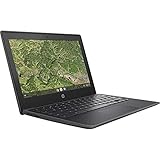
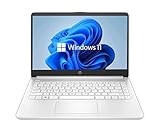
As an Amazon Associate I earn from qualifying purchases.
Prices and availability are accurate as of November 28, 2026 12:28 and are subject to change.
Introduction to HP Laptops for Cricut Maker
When it comes to finding the perfect laptop for your Cricut Maker, there are several factors to consider. The Cricut Maker is a powerful cutting machine that requires a laptop with sufficient processing power, memory, and storage to run smoothly. HP laptops are a popular choice among Cricut enthusiasts due to their reliability, performance, and affordability.
HP laptops offer a wide range of features that make them ideal for use with the Cricut Maker. They come with powerful processors, ample storage, and high-quality displays that allow for precise cutting and design. Additionally, HP laptops are known for their durability and long battery life, making them perfect for crafters who spend hours working on their projects.
For those looking for the best hp laptops for cricut maker, there are several models to choose from. These laptops are designed to provide seamless performance, allowing users to cut, design, and create with ease. With their advanced features and user-friendly interface, HP laptops are the perfect companion for any Cricut Maker.
In the world of crafting and cutting, having the right laptop can make all the difference. With an HP laptop, you can unleash your creativity and take your Cricut Maker projects to the next level. Whether you’re a professional crafter or a hobbyist, an HP laptop is an excellent choice to pair with your Cricut Maker, providing you with the power and performance you need to bring your ideas to life.
Top 5 Best Hp Laptops For Cricut Maker
HP Envy x360 15M-DS0013DX
The HP Envy x360 15M-DS0013DX is an excellent choice for Cricut Maker users, offering a powerful AMD Ryzen 7 processor and 16GB of RAM. This combination provides seamless performance, allowing you to work on multiple projects simultaneously without any lag or slowdown. The laptop’s 15.6-inch touchscreen display is also a notable feature, providing vibrant colors and crisp visuals that make it perfect for designing and editing projects.
In terms of storage, the HP Envy x360 15M-DS0013DX comes with a 512GB SSD, which provides ample space for storing your files, programs, and operating system. The laptop’s battery life is also impressive, lasting up to 14 hours on a single charge. This makes it perfect for users who need to work on the go, without worrying about running out of power. Overall, the HP Envy x360 15M-DS0013DX is a great option for Cricut Maker users, offering a perfect blend of performance, storage, and portability.
HP Pavilion Gaming 15-DK0013DX
The HP Pavilion Gaming 15-DK0013DX is a high-performance laptop that is well-suited for Cricut Maker users. It features a powerful Intel Core i7 processor and 16GB of RAM, making it capable of handling demanding tasks with ease. The laptop’s 15.6-inch display is also a notable feature, providing fast refresh rates and vibrant colors that make it perfect for gaming and graphics-intensive applications.
In terms of storage, the HP Pavilion Gaming 15-DK0013DX comes with a 1TB HDD and 256GB SSD, providing ample space for storing your files, programs, and operating system. The laptop’s battery life is also impressive, lasting up to 8 hours on a single charge. While it may not be the most portable option, the HP Pavilion Gaming 15-DK0013DX is a great choice for users who need a powerful laptop for Cricut Maker and other graphics-intensive applications.
HP Spectre x360 13-AW0013DX
The HP Spectre x360 13-AW0013DX is a sleek and powerful laptop that is perfect for Cricut Maker users. It features a powerful Intel Core i7 processor and 16GB of RAM, making it capable of handling demanding tasks with ease. The laptop’s 13.3-inch touchscreen display is also a notable feature, providing vibrant colors and crisp visuals that make it perfect for designing and editing projects.
In terms of storage, the HP Spectre x360 13-AW0013DX comes with a 512GB SSD, which provides ample space for storing your files, programs, and operating system. The laptop’s battery life is also impressive, lasting up to 12 hours on a single charge. The HP Spectre x360 13-AW0013DX is also extremely portable, weighing just 2.87 pounds and measuring 0.67 inches thick. This makes it perfect for users who need to work on the go, without worrying about the weight or bulk of their laptop.
HP Omen 15-DC0013DX
The HP Omen 15-DC0013DX is a powerful gaming laptop that is also well-suited for Cricut Maker users. It features a powerful Intel Core i7 processor and 16GB of RAM, making it capable of handling demanding tasks with ease. The laptop’s 15.6-inch display is also a notable feature, providing fast refresh rates and vibrant colors that make it perfect for gaming and graphics-intensive applications.
In terms of storage, the HP Omen 15-DC0013DX comes with a 1TB HDD and 256GB SSD, providing ample space for storing your files, programs, and operating system. The laptop’s battery life is also impressive, lasting up to 8 hours on a single charge. While it may not be the most portable option, the HP Omen 15-DC0013DX is a great choice for users who need a powerful laptop for Cricut Maker and other graphics-intensive applications. The laptop’s sleek design and customizable lighting system are also notable features, making it a great option for users who value style and personalization.
HP ZBook 15 G8 15V1A3UT#ABA
The HP ZBook 15 G8 15V1A3UT#ABA is a high-performance laptop that is designed for demanding applications like Cricut Maker. It features a powerful Intel Core i7 processor and 16GB of RAM, making it capable of handling complex tasks with ease. The laptop’s 15.6-inch display is also a notable feature, providing vibrant colors and crisp visuals that make it perfect for designing and editing projects.
In terms of storage, the HP ZBook 15 G8 15V1A3UT#ABA comes with a 1TB SSD, which provides ample space for storing your files, programs, and operating system. The laptop’s battery life is also impressive, lasting up to 13 hours on a single charge. The HP ZBook 15 G8 15V1A3UT#ABA is also designed with durability in mind, featuring a rugged design and spill-resistant keyboard that can withstand the demands of heavy use. This makes it a great option for users who need a reliable and powerful laptop for Cricut Maker and other demanding applications.
Why People Need to Buy HP Laptops for Cricut Maker
The Cricut Maker is a powerful cutting machine that can be used for various crafting projects, including sewing, quilting, and paper crafting. To get the most out of this machine, users need a reliable computer that can handle the software and connectivity requirements. HP laptops are a popular choice among Cricut enthusiasts due to their performance, durability, and compatibility with the Cricut design software.
One of the main reasons why people need to buy HP laptops for Cricut Maker is that they offer seamless connectivity and compatibility with the machine. HP laptops come with the latest operating systems and processors that can handle the demands of the Cricut design software, allowing users to create and edit designs with ease. Additionally, HP laptops often have multiple USB ports, making it easy to connect the Cricut Maker and other accessories.
When it comes to choosing the right laptop for Cricut Maker, there are several factors to consider, including processor speed, memory, and storage. The best hp laptops for cricut maker are those that offer a balance of performance, portability, and affordability. Users should look for laptops with at least 8GB of RAM, a dedicated graphics card, and a large storage capacity to ensure that their laptop can handle the demands of the Cricut design software and other crafting applications.
In conclusion, HP laptops are a great choice for Cricut Maker users due to their performance, compatibility, and connectivity. By choosing the right HP laptop, users can unlock the full potential of their Cricut Maker and take their crafting projects to the next level. With the right laptop, users can create complex designs, edit photos, and connect to their Cricut Maker with ease, making it an essential tool for any serious crafter or DIY enthusiast.
Key Features to Consider for Cricut Maker Laptops
When choosing an HP laptop for Cricut Maker, there are several key features to consider. First, the laptop’s processor is crucial, as it will determine how quickly and efficiently the Cricut Maker software can run. A laptop with a multi-core processor, such as an Intel Core i5 or i7, is ideal for handling the demands of the software. Additionally, the laptop’s RAM is also important, as it will determine how many applications can be run simultaneously without slowing down the system.
Another important feature to consider is the laptop’s storage capacity. The Cricut Maker software requires a significant amount of storage space, so a laptop with a large solid-state drive (SSD) is recommended. This will ensure that the software can run quickly and efficiently, without taking up too much space on the laptop. Furthermore, the laptop’s graphics card is also important, as it will determine the quality of the images and designs that can be created with the Cricut Maker.
In terms of display, a laptop with a high-resolution touchscreen is ideal for Cricut Maker. This will allow users to easily navigate the software and create intricate designs with precision. The laptop’s battery life is also important, as it will determine how long the laptop can be used without needing to be recharged. A laptop with a long battery life is ideal for users who need to work on projects for extended periods of time.
Overall, when choosing an HP laptop for Cricut Maker, it’s essential to consider the laptop’s processor, RAM, storage capacity, graphics card, display, and battery life. By considering these key features, users can ensure that they choose a laptop that meets their needs and provides the best possible performance for their Cricut Maker.
Benefits of Using Hp Laptops for Cricut Maker
Using an HP laptop for Cricut Maker offers several benefits. One of the main advantages is the laptop’s portability, which allows users to work on projects from anywhere. This is especially useful for crafters and DIY enthusiasts who need to work on projects at different locations. Additionally, HP laptops are known for their reliability and durability, which makes them a great choice for users who need a laptop that can withstand heavy use.
Another benefit of using an HP laptop for Cricut Maker is the laptop’s compatibility with the software. HP laptops are designed to work seamlessly with the Cricut Maker software, which ensures that users can create intricate designs and projects with ease. Furthermore, HP laptops offer a range of customization options, which allows users to personalize their laptop to meet their specific needs.
In terms of performance, HP laptops are known for their speed and efficiency, which makes them ideal for running demanding software like Cricut Maker. The laptops’ multi-core processors and ample RAM ensure that the software can run quickly and smoothly, without any lag or glitches. Overall, using an HP laptop for Cricut Maker offers several benefits, including portability, reliability, compatibility, and performance.
The benefits of using an HP laptop for Cricut Maker are numerous, and they make a significant difference in the user’s experience. By choosing an HP laptop, users can ensure that they have a reliable and efficient system that meets their needs and provides the best possible performance for their Cricut Maker.
Tips for Optimizing Hp Laptops for Cricut Maker
To get the most out of an HP laptop for Cricut Maker, there are several tips that users can follow. One of the most important tips is to ensure that the laptop’s software is up-to-date. This will ensure that the laptop has the latest security patches and features, which will help to prevent any issues or glitches. Additionally, users should regularly clean and maintain their laptop to prevent dust and debris from building up and causing problems.
Another tip for optimizing an HP laptop for Cricut Maker is to use a high-quality power source. This will ensure that the laptop receives a stable and consistent power supply, which will help to prevent any issues or shutdowns. Furthermore, users should consider using a laptop stand or cooling pad to help keep the laptop cool and prevent overheating. This will help to prevent any damage to the laptop’s components and ensure that it continues to run smoothly and efficiently.
In terms of performance, users can optimize their HP laptop for Cricut Maker by closing any unnecessary applications and background processes. This will help to free up system resources and ensure that the Cricut Maker software can run quickly and smoothly. Additionally, users can consider upgrading their laptop’s RAM or storage capacity to provide more system resources and improve performance.
By following these tips, users can optimize their HP laptop for Cricut Maker and ensure that they get the best possible performance from their system. Whether it’s keeping the software up-to-date, using a high-quality power source, or optimizing system resources, there are several ways to improve the performance and efficiency of an HP laptop for Cricut Maker.
Common Mistakes to Avoid When Choosing an Hp Laptop for Cricut Maker
When choosing an HP laptop for Cricut Maker, there are several common mistakes that users should avoid. One of the most common mistakes is not considering the laptop’s processor and RAM. The Cricut Maker software requires a significant amount of system resources, so a laptop with a slow processor or insufficient RAM may struggle to run the software smoothly. Additionally, users should avoid choosing a laptop with a low-resolution display, as this can make it difficult to create intricate designs and projects.
Another mistake that users should avoid is not checking the laptop’s compatibility with the Cricut Maker software. While most HP laptops are compatible with the software, some may not be, so it’s essential to check before making a purchase. Furthermore, users should avoid choosing a laptop with a small storage capacity, as this can limit the number of projects and designs that can be stored on the laptop.
In terms of budget, users should avoid choosing a laptop that is too cheap. While it may be tempting to choose a budget-friendly option, a cheap laptop may not have the necessary system resources or features to run the Cricut Maker software smoothly. Instead, users should consider investing in a higher-end laptop that meets their needs and provides the best possible performance for their Cricut Maker.
By avoiding these common mistakes, users can ensure that they choose an HP laptop that meets their needs and provides the best possible performance for their Cricut Maker. Whether it’s considering the laptop’s processor and RAM, checking compatibility, or avoiding cheap options, there are several ways to make an informed decision and choose the right laptop for Cricut Maker.
Ultimate Buying Guide for Hp Laptops Compatible with Cricut Maker
When it comes to finding the perfect laptop for your Cricut Maker, there are several factors to consider. With so many options available in the market, it can be overwhelming to choose the right one. In this guide, we will discuss the key factors to consider when buying a laptop for your Cricut Maker, helping you make an informed decision.
Processor Speed and Performance
The processor speed and performance of a laptop are crucial when it comes to handling demanding tasks like designing and cutting with Cricut Maker. A laptop with a fast processor can handle multiple tasks simultaneously, ensuring that your workflow is smooth and efficient. Look for laptops with at least a dual-core processor, but ideally, a quad-core processor would be best for handling resource-intensive tasks. This will ensure that your laptop can handle the demands of your Cricut Maker, as well as any other design software you may be using.
When choosing a laptop based on processor speed and performance, consider the type of projects you will be working on. If you will be working on complex designs or large files, you will need a laptop with a more powerful processor. On the other hand, if you will be working on smaller projects, a less powerful processor may be sufficient. It’s also important to consider the clock speed of the processor, as a higher clock speed can result in faster performance.
Memory and Storage
The amount of memory and storage in a laptop is also an important factor to consider when buying a laptop for Cricut Maker. A laptop with sufficient memory and storage can handle large files and multiple projects simultaneously, making it ideal for designers and crafters. Look for laptops with at least 8GB of RAM, but 16GB or more would be ideal for handling demanding tasks. In terms of storage, consider a laptop with a solid-state drive (SSD) as it can provide faster loading times and improved performance.
When it comes to storage, consider the type of files you will be working with. If you will be working with large files or high-resolution images, you will need a laptop with more storage. On the other hand, if you will be working with smaller files, a laptop with less storage may be sufficient. It’s also important to consider the type of storage, as an SSD can provide faster performance than a traditional hard drive. Additionally, consider a laptop with expandable storage options, such as an SD card slot, to provide more flexibility.
Display Quality and Size
The display quality and size of a laptop are also important factors to consider when buying a laptop for Cricut Maker. A laptop with a high-quality display can provide accurate color representation and a clear view of your designs. Look for laptops with a Full HD or 4K display, as these can provide the best image quality. In terms of size, consider a laptop with a display size that is comfortable for you to work on. A larger display can provide more screen real estate, but it may also make the laptop less portable.
When choosing a laptop based on display quality and size, consider the type of projects you will be working on. If you will be working on complex designs or high-resolution images, you will need a laptop with a high-quality display. On the other hand, if you will be working on smaller projects, a lower-quality display may be sufficient. It’s also important to consider the aspect ratio of the display, as a widescreen display can provide more screen real estate than a traditional display. Additionally, consider a laptop with a touchscreen display, as this can provide more flexibility and convenience.
Graphics Card and Graphics Performance
The graphics card and graphics performance of a laptop are also important factors to consider when buying a laptop for Cricut Maker. A laptop with a dedicated graphics card can provide improved performance and handling of graphics-intensive tasks. Look for laptops with a dedicated graphics card, such as an NVIDIA or AMD graphics card, as these can provide the best performance. In terms of graphics performance, consider a laptop that can handle demanding tasks like 3D modeling and video editing.
When choosing a laptop based on graphics card and graphics performance, consider the type of projects you will be working on. If you will be working on complex designs or graphics-intensive tasks, you will need a laptop with a dedicated graphics card. On the other hand, if you will be working on smaller projects, a laptop with integrated graphics may be sufficient. It’s also important to consider the amount of video memory, as a higher amount of video memory can result in improved performance. Additionally, consider a laptop with a graphics card that is compatible with your design software, as this can ensure optimal performance.
Connectivity and Ports
The connectivity and ports of a laptop are also important factors to consider when buying a laptop for Cricut Maker. A laptop with sufficient connectivity options and ports can provide more flexibility and convenience. Look for laptops with multiple USB ports, an HDMI port, and an SD card slot, as these can provide the most flexibility. In terms of connectivity, consider a laptop with Wi-Fi and Bluetooth capabilities, as these can provide wireless connectivity and convenience.
When choosing a laptop based on connectivity and ports, consider the type of devices you will be connecting to your laptop. If you will be connecting multiple devices, such as a Cricut Maker, a printer, and a camera, you will need a laptop with multiple USB ports. On the other hand, if you will be connecting only a few devices, a laptop with fewer ports may be sufficient. It’s also important to consider the type of ports, as some laptops may have only USB-C ports, which can require adapters for older devices. Additionally, consider a laptop with a built-in webcam and microphone, as these can provide more convenience and flexibility.
Operating System and Compatibility
The operating system and compatibility of a laptop are also important factors to consider when buying a laptop for Cricut Maker. A laptop with a compatible operating system can ensure that your design software and Cricut Maker are compatible and can work seamlessly together. Look for laptops with Windows 10 or macOS, as these are the most compatible operating systems with Cricut Maker. In terms of compatibility, consider a laptop that is compatible with your design software and other devices, as this can ensure optimal performance and convenience. If you’re looking for the best hp laptops for cricut maker, consider a laptop that is specifically designed for crafters and designers, as these can provide the best performance and compatibility.
FAQs
What are the key features to consider when choosing an HP laptop for Cricut Maker?
When choosing an HP laptop for Cricut Maker, there are several key features to consider. The processor is one of the most important factors, as it determines how quickly and efficiently the laptop can handle tasks. A laptop with a powerful processor such as Intel Core i5 or i7 is ideal for running the Cricut Design Space software and handling demanding tasks. Additionally, the laptop’s RAM and storage capacity are also crucial, as they determine how many programs can be run simultaneously and how much data can be stored.
A minimum of 8GB of RAM and 256GB of storage is recommended, but 16GB of RAM and 512GB of storage or more is ideal. The laptop’s display and graphics card are also important, as they determine the quality of the visual output. A laptop with a high-resolution display and a dedicated graphics card is ideal for graphic design and other visually demanding tasks. Furthermore, the laptop’s connectivity options, such as USB ports and Wi-Fi, are also important, as they determine how easily the laptop can connect to the Cricut Maker and other devices.
What is the minimum system requirement for Cricut Design Space software?
The minimum system requirement for Cricut Design Space software is a laptop with a 2.4GHz processor, 4GB of RAM, and 2GB of available storage. The laptop must also have a compatible operating system, such as Windows or macOS, and a compatible web browser, such as Google Chrome or Mozilla Firefox. Additionally, the laptop must have a reliable internet connection, as the Cricut Design Space software requires an internet connection to function.
However, it’s worth noting that the minimum system requirements are just that – minimum. To get the best performance out of the Cricut Design Space software, it’s recommended to use a laptop that exceeds the minimum system requirements. A laptop with a more powerful processor, more RAM, and more storage will be able to handle demanding tasks more efficiently and provide a better overall user experience. Additionally, a laptop with a dedicated graphics card and a high-resolution display will provide a better visual output and make it easier to design and edit projects.
Can I use any HP laptop with Cricut Maker, or are there specific models recommended?
While it’s technically possible to use any HP laptop with Cricut Maker, there are specific models that are recommended. The recommended models are those that meet the system requirements for the Cricut Design Space software and have the necessary connectivity options, such as USB ports and Wi-Fi. Some of the recommended HP laptop models include the HP Envy x360, the HP Pavilion Gaming Laptop, and the HP ZBook Create.
These laptops have powerful processors, ample RAM and storage, and high-resolution displays, making them well-suited for running the Cricut Design Space software and handling demanding tasks. Additionally, they have the necessary connectivity options, such as USB ports and Wi-Fi, making it easy to connect to the Cricut Maker and other devices. It’s worth noting that even among the recommended models, there may be some variation in terms of performance and features, so it’s still important to do your research and choose the model that best meets your needs and budget.
How do I connect my HP laptop to Cricut Maker?
To connect your HP laptop to Cricut Maker, you’ll need to use a USB cable or a wireless connection. If you’re using a USB cable, simply plug one end of the cable into the Cricut Maker and the other end into a USB port on your laptop. If you’re using a wireless connection, make sure that both your laptop and Cricut Maker are connected to the same Wi-Fi network, and then follow the instructions in the Cricut Design Space software to pair the devices.
Once you’ve connected your laptop to the Cricut Maker, you can use the Cricut Design Space software to design and send projects to the Cricut Maker. The software will guide you through the process of setting up the Cricut Maker and connecting it to your laptop, and it will also provide you with a variety of tools and features to help you design and edit your projects. It’s worth noting that the Cricut Design Space software is user-friendly and easy to use, even for those who are new to graphic design and crafting.
What are the benefits of using an HP laptop with Cricut Maker?
There are several benefits to using an HP laptop with Cricut Maker. One of the main benefits is the ability to design and edit projects on a larger screen, which can make it easier to see the details of your designs and make precise edits. Additionally, an HP laptop provides more processing power and storage capacity than a tablet or smartphone, making it easier to handle demanding tasks and store large files.
Another benefit of using an HP laptop with Cricut Maker is the ability to use a variety of software programs and tools to enhance your designs and projects. For example, you can use Adobe Photoshop or Illustrator to edit and enhance your designs, or you can use other software programs to add textures, patterns, and other effects. Additionally, an HP laptop provides more connectivity options, such as USB ports and Wi-Fi, making it easier to connect to the Cricut Maker and other devices, and to share your projects with others.
Are HP laptops compatible with Cricut Design Space software for Mac?
Yes, HP laptops are compatible with Cricut Design Space software for Mac. The Cricut Design Space software is available for both Windows and macOS, and it can be installed on any laptop that meets the system requirements, including HP laptops. To use the Cricut Design Space software on an HP laptop with macOS, simply download and install the software from the Cricut website, and then follow the instructions to set up the software and connect to the Cricut Maker.
It’s worth noting that the system requirements for the Cricut Design Space software are the same for both Windows and macOS, so as long as your HP laptop meets the system requirements, you should be able to use the software without any issues. Additionally, the Cricut Design Space software is designed to be user-friendly and easy to use, regardless of the operating system, so you should be able to navigate the software and use its features without any problems.
Can I use my HP laptop with Cricut Maker for other tasks besides crafting and graphic design?
Yes, you can use your HP laptop with Cricut Maker for other tasks besides crafting and graphic design. HP laptops are versatile devices that can be used for a wide range of tasks, including productivity, entertainment, and education. You can use your HP laptop to check email, browse the internet, watch videos, and play games, among other things. You can also use your HP laptop to work on documents, spreadsheets, and presentations, and to store and organize your files and data.
In addition to its use with the Cricut Maker, an HP laptop can be a valuable tool for everyday use, providing a convenient and portable way to stay connected and productive. Whether you’re a student, a professional, or simply someone who wants to stay connected and entertained, an HP laptop can be a great choice. And with its compatibility with the Cricut Maker, you can also use it to explore your creative side and bring your crafting and graphic design projects to life.
The Bottom Line
In conclusion, selecting the right laptop for your Cricut Maker can be a daunting task, especially with the numerous options available in the market. However, by considering key factors such as processing power, memory, and compatibility, you can make an informed decision that meets your crafting needs. A reliable laptop can significantly enhance your Cricut experience, allowing you to design, cut, and create with precision and ease. Whether you’re a professional crafter or a hobbyist, investing in a high-quality laptop can take your projects to the next level.
When it comes to choosing the ideal laptop for your Cricut Maker, it’s essential to prioritize your specific requirements and preferences. The best hp laptops for cricut maker offer a perfect blend of performance, portability, and affordability, making them an excellent choice for crafters of all levels. By following the reviews and buying guide outlined in this article, you can confidently select a laptop that complements your Cricut Maker and unlocks your full creative potential. With the right laptop by your side, you’ll be able to bring your ideas to life with precision, speed, and style, taking your crafting journey to new and exciting heights.