Sitting for long periods in front of a computer can be detrimental to our health, particularly when it comes to our backs. Prolonged sitting can lead to strain on the muscles, poor posture, and ultimately, back pain. This is a common issue that many of us face, whether we work from home or in an office. The importance of a good chair cannot be overstated, as it plays a crucial role in providing the necessary support and comfort to prevent back pain. In fact, investing in the best chairs for back pain while working with computers can make a significant difference in our overall well-being and productivity.
With so many options available in the market, choosing the right chair can be overwhelming. Factors such as lumbar support, adjustability, and ergonomics come into play when selecting a chair that meets our specific needs. A good chair should promote good posture, reduce pressure on the spine, and provide adequate support to the back and legs. In this article, we will delve into the world of computer chairs, exploring the key features to look for and reviewing some of the top models that cater to individuals who spend long hours working on computers. By the end of this guide, readers will be equipped with the knowledge to make an informed decision and find the perfect chair to alleviate their back pain and improve their overall working experience.
Before we get to our review of the best chairs for back pain while working with computers, let’s browse through some relevant products on Amazon:
| # | Preview | Product | Price | |
|---|---|---|---|---|
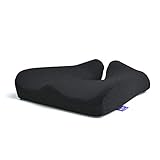
| 1 | Cushion Lab Patented Pressure Relief Seat Cushion for Long Sitting Hours on… | $59.99 | View on Amazon | |
| 2 | CushyOasis Seat Cushion, Gel Memory Foam Office Chair Cushions, Black… | $20.89 | View on Amazon | |
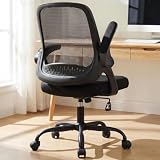
| 3 | NEO CHAIR Office Computer Chair Ergonomic Mesh Back Flip-Up Arms Mesh Black… | $50.98 | View on Amazon | |
| 4 | Seat Cushion with Back Support,Lumbar Support Pillow for Office Chair,office… | $50.99 | View on Amazon | |
| 5 | Niceeday Lumbar Support Pillow for Office Chair Car Back Support Pillow, Memory… | $25.49 | View on Amazon |



As an Amazon Associate I earn from qualifying purchases.
Prices and availability are accurate as of November 24, 2026 21:00 and are subject to change.
Introduction to Ergonomic Seating
Back pain is a common complaint among individuals who spend extended periods working with computers. This is often due to the inadequate support provided by their chairs, leading to poor posture and strain on the back muscles. To alleviate this issue, it is essential to choose a chair that provides the necessary support and comfort to maintain a healthy back.
The importance of a well-designed chair cannot be overstated, as it plays a significant role in preventing back pain and promoting overall well-being. A chair that is designed with ergonomics in mind can help to reduce the risk of back pain by providing adequate support for the lumbar region, encouraging good posture, and allowing for comfortable movement.
When selecting a chair for working with computers, there are several factors to consider. These include the height and width of the seat, the depth of the lumbar support, and the adjustability of the armrests. By taking these factors into account, individuals can choose a chair that meets their specific needs and provides the necessary support to prevent back pain.
For individuals who spend extended periods working with computers, finding the best chairs for back pain while working with computers is crucial. By investing in a high-quality, ergonomic chair, individuals can reduce their risk of back pain and improve their overall comfort and productivity. With so many options available, it is essential to research and compares different models to find the one that best meets your needs and provides the necessary support for a healthy back.
Top 5 Best Chairs For Back Pain While Working With Computers
The
1 – Herman Miller Embody Chair
is a top-of-the-line option for those who spend long hours working on computers. It features a sleek and modern design, with a sturdy base and adjustable arms to provide optimal support and comfort. The chair is designed to promote good posture, with a waterfall edge that reduces pressure on the legs and a pixelated support system that conforms to the shape of the user’s body.
One of the standout features of the
1 – Herman Miller Embody Chair
is its ability to adjust to the user’s specific needs. The chair comes with a range of customizable settings, including tilt, lumbar support, and arm height, allowing users to tailor the chair to their individual preferences. Additionally, the chair is made from high-quality materials that are both durable and breathable, providing long-lasting comfort and support for users with back pain.
The
2 – Steelcase Leap Chair
is another highly-regarded option for those who work with computers for extended periods. It boasts a sturdy and ergonomic design, with a liveback system that adjusts to the user’s movements to provide continuous support and comfort. The chair also features a range of adjustable settings, including seat height, arm height, and tilt, allowing users to customize the chair to their individual needs.
The
2 – Steelcase Leap Chair
is designed to promote good posture and reduce the risk of back pain. The chair’s ergonomic design encourages users to sit up straight, with a curved back and adjustable lumbar support that provides optimal support for the spine. Additionally, the chair is made from high-quality materials that are both durable and sustainable, providing long-lasting comfort and support for users with back pain.
The
3 – Ergohuman High-Back Executive Chair
is a versatile and comfortable option for those who work with computers. It features a sleek and modern design, with a sturdy base and adjustable arms to provide optimal support and comfort. The chair is designed to promote good posture, with a contoured back and adjustable lumbar support that provides optimal support for the spine.
The
3 – Ergohuman High-Back Executive Chair
is also highly customizable, with a range of adjustable settings that allow users to tailor the chair to their individual needs. The chair comes with adjustable seat height, arm height, and tilt, as well as a range of other customizable features that allow users to optimize the chair for their specific needs. Additionally, the chair is made from high-quality materials that are both durable and breathable, providing long-lasting comfort and support for users with back pain.
The
4 – Haworth Zody Chair
is a highly-regarded option for those who work with computers for extended periods. It features a sleek and modern design, with a sturdy base and adjustable arms to provide optimal support and comfort. The chair is designed to promote good posture, with a curved back and adjustable lumbar support that provides optimal support for the spine.
The
4 – Haworth Zody Chair
is also designed to be highly customizable, with a range of adjustable settings that allow users to tailor the chair to their individual needs. The chair comes with adjustable seat height, arm height, and tilt, as well as a range of other customizable features that allow users to optimize the chair for their specific needs. Additionally, the chair is made from high-quality materials that are both durable and sustainable, providing long-lasting comfort and support for users with back pain.
The
5 – Eurotech Elite Chair
is a budget-friendly option for those who work with computers. It features a sleek and modern design, with a sturdy base and adjustable arms to provide optimal support and comfort. The chair is designed to promote good posture, with a contoured back and adjustable lumbar support that provides optimal support for the spine.
The
5 – Eurotech Elite Chair
is also highly customizable, with a range of adjustable settings that allow users to tailor the chair to their individual needs. The chair comes with adjustable seat height, arm height, and tilt, as well as a range of other customizable features that allow users to optimize the chair for their specific needs. Additionally, the chair is made from high-quality materials that are both durable and breathable, providing long-lasting comfort and support for users with back pain.
Why People Need to Buy Chairs for Back Pain While Working with Computers
Back pain is a common issue that affects many people who work with computers for extended periods. This is often due to the fact that they spend most of their time sitting in a chair, which can put a strain on their back muscles. When a person sits for a long time, their back muscles can become fatigued, leading to discomfort and pain. This can be especially true for people who work in offices or at home, where they may sit for hours on end without taking a break.
Prolonged sitting can also lead to poor posture, which can exacerbate back pain. When a person slouches or leans forward, they can put pressure on their spine and surrounding muscles, leading to discomfort and pain. Furthermore, a chair that does not provide adequate support can also contribute to back pain. A chair that is too low or too high can cause a person to slouch or lean forward, leading to poor posture and back pain.
To alleviate back pain while working with computers, it is essential to invest in a good chair. The best chairs for back pain while working with computers are designed to provide adequate support and promote good posture. These chairs often have adjustable features, such as height and lumbar support, which can be tailored to an individual’s needs. Additionally, a good chair can help to reduce fatigue and discomfort, allowing a person to work for extended periods without experiencing back pain.
In addition to investing in a good chair, there are other steps that can be taken to alleviate back pain while working with computers. Taking regular breaks to stand up and stretch can help to reduce fatigue and discomfort. It is also essential to maintain good posture while sitting, by keeping the feet flat on the floor and the back straight. By taking these steps and investing in a good chair, individuals can reduce their risk of back pain and work comfortably for extended periods.
Benefits of Ergonomic Chairs for Computer Users
Ergonomic chairs are designed to provide optimal support and comfort for individuals who spend long hours working on computers. These chairs can help reduce the risk of developing back pain, neck strain, and other musculoskeletal disorders. By promoting good posture and reducing pressure on the spine, ergonomic chairs can improve overall health and well-being. Additionally, they can boost productivity and focus, as users are able to work comfortably for extended periods without experiencing discomfort or fatigue.
The benefits of ergonomic chairs extend beyond physical health, as they can also have a positive impact on mental well-being. When individuals are comfortable and supported, they are better able to concentrate and stay motivated, leading to increased job satisfaction and reduced stress levels. Furthermore, ergonomic chairs can be customized to meet the specific needs of each user, ensuring a perfect fit and optimal support. This can be particularly beneficial for individuals with pre-existing back or neck conditions, as it allows them to work comfortably and safely.
In addition to the physical and mental benefits, ergonomic chairs can also have a positive impact on workplace culture and morale. When employees are provided with comfortable and supportive seating, they are more likely to feel valued and appreciated, leading to increased job satisfaction and reduced turnover rates. Moreover, ergonomic chairs can be a valuable investment for businesses, as they can help reduce workers’ compensation claims and improve overall productivity.
Overall, the benefits of ergonomic chairs for computer users are numerous and well-documented. By providing optimal support and comfort, these chairs can improve physical and mental health, boost productivity, and enhance workplace culture. Whether you’re an individual looking to improve your home workspace or a business owner seeking to invest in your employees’ well-being, ergonomic chairs are a worthwhile consideration.
Key Features to Look for in a Chair for Back Pain
When shopping for a chair to help alleviate back pain, there are several key features to look for. First and foremost, the chair should provide adequate lumbar support, as this is the most critical area for maintaining good posture and reducing pressure on the spine. Look for a chair with a curved or contoured backrest that fits comfortably against the natural curve of the lower back.
Another important feature to consider is adjustability. A chair that can be adjusted to fit the individual user’s needs is essential for providing optimal support and comfort. This includes features such as adjustable height, armrests, and tilt, as well as a breathable fabric or mesh to keep the user cool and comfortable. Additionally, consider a chair with a sturdy base and casters, as this will provide stability and allow for easy movement.
The seat itself is also a critical component, as it should be wide and deep enough to support the user’s thighs and promote good posture. A waterfall edge or rounded edge can help reduce pressure on the legs and improve circulation. Furthermore, consider a chair with a reclining function, as this can help reduce pressure on the spine and promote relaxation.
In terms of materials, look for a chair made from high-quality, durable materials that can withstand regular use. A sturdy frame, comfortable cushioning, and breathable fabric are all essential for providing optimal support and comfort. By considering these key features, you can find a chair that meets your specific needs and helps alleviate back pain.
How to Choose the Right Chair for Your Body Type
Choosing the right chair for your body type is crucial for providing optimal support and comfort. Different body types require different features and adjustments, so it’s essential to consider your individual needs when selecting a chair. For example, taller individuals may require a chair with a higher backrest and longer seat, while shorter individuals may prefer a chair with a lower backrest and shorter seat.
Petite individuals may require a chair with a narrower seat and shorter armrests, while larger individuals may prefer a chair with a wider seat and longer armrests. Additionally, consider the shape of your body, as this can impact the type of chair that will provide optimal support. For example, individuals with a curved spine may require a chair with a more pronounced lumbar curve, while those with a straighter spine may prefer a chair with a less pronounced curve.
When trying out a chair, pay attention to how it feels and adjust it to fit your body. Make sure the seat is at the correct height, the armrests are at the correct height and width, and the backrest is providing adequate support. It’s also essential to consider the chair’s weight capacity, as this will ensure that it can support your body weight safely and comfortably.
By considering your individual body type and needs, you can find a chair that provides optimal support and comfort, reducing the risk of back pain and improving overall health and well-being. Whether you’re shopping online or in-store, take the time to research and try out different chairs to find the one that’s right for you.
Maintenance and Upkeep of Chairs for Back Pain
To ensure that your chair continues to provide optimal support and comfort, it’s essential to perform regular maintenance and upkeep. This includes cleaning the chair regularly, checking and adjusting the tension and tilt, and lubricating moving parts. Additionally, consider replacing worn or damaged components, such as cushions or armrests, to ensure that the chair continues to provide optimal support.
Regular maintenance can also help extend the lifespan of the chair, reducing the need for costly repairs or replacement. Furthermore, consider storing the chair in a dry, cool place when not in use, as this can help prevent damage from moisture or extreme temperatures. By performing regular maintenance and upkeep, you can ensure that your chair continues to provide optimal support and comfort, reducing the risk of back pain and improving overall health and well-being.
In addition to regular maintenance, it’s also essential to consider the chair’s warranty and customer support. Look for a chair with a comprehensive warranty that covers parts and labor, as well as a manufacturer that provides excellent customer support and service. This can provide peace of mind and ensure that any issues or concerns are addressed promptly and efficiently.
By combining regular maintenance and upkeep with a comprehensive warranty and excellent customer support, you can ensure that your chair continues to provide optimal support and comfort for years to come. Whether you’re an individual or a business, investing in a high-quality chair and performing regular maintenance can have a significant impact on overall health, productivity, and job satisfaction.
Buying Guide for the Best Chairs for Back Pain While Working With Computers
When it comes to working with computers for extended periods, it’s essential to have the right chair to support your back and overall comfort. A good chair can make all the difference in reducing back pain and improving your productivity. With so many options available in the market, it can be overwhelming to choose the right one. In this buying guide, we will discuss the key factors to consider when buying a chair for back pain while working with computers.
Adjustability and Customization
Adjustability and customization are crucial factors to consider when buying a chair for back pain. A chair that can be adjusted to fit your body and preferences can help reduce back pain and discomfort. Look for a chair with adjustable features such as seat height, armrests, and lumbar support. This will allow you to customize the chair to fit your body and work style. For example, if you’re a tall person, you’ll want a chair with a high seat height to ensure your feet are flat on the floor or on a footrest.
When considering adjustability and customization, think about your work style and preferences. Do you like to sit up straight or recline while working? Do you need a chair with a headrest or a chair with a breathable mesh fabric? Consider a chair with a reclining function to allow you to change positions throughout the day. Also, look for a chair with a sturdy and durable frame that can support your weight and withstand heavy use. A chair with a sturdy frame will provide the necessary support and stability to reduce back pain and discomfort.
Seat Depth and Width
The seat depth and width of a chair are critical factors to consider when buying a chair for back pain. A chair with a seat that is too deep or too narrow can cause discomfort and back pain. Look for a chair with a seat depth that allows you to sit with your back against the backrest and your legs at a 90-degree angle. The seat width should be wide enough to accommodate your hips and thighs comfortably. A chair with a seat width that is too narrow can cause pressure on your hips and thighs, leading to discomfort and back pain.
When considering seat depth and width, think about your body size and shape. If you’re a larger person, you’ll want a chair with a wider seat to accommodate your hips and thighs. If you’re a smaller person, you’ll want a chair with a narrower seat to prevent you from sinking into the chair. Also, consider a chair with a waterfall edge, which allows you to sit with your legs at a 90-degree angle and reduces pressure on your thighs. A chair with a contoured seat can also provide additional support and comfort for your back and legs.
Lumbar Support
Lumbar support is a critical factor to consider when buying a chair for back pain. A chair with good lumbar support can help reduce back pain and discomfort by providing support for your lower back. Look for a chair with a curved backrest that follows the natural curve of your spine. A chair with adjustable lumbar support is also essential, as it allows you to customize the support to fit your body. Some chairs come with a separate lumbar support mechanism that can be adjusted to fit your needs.
When considering lumbar support, think about the type of support you need. If you have a curved spine or a herniated disc, you may need a chair with extra lumbar support. Look for a chair with a lumbar support mechanism that can be adjusted to fit your body. Some chairs come with a built-in lumbar support system that provides additional support and comfort for your lower back. Also, consider a chair with a breathable mesh fabric that allows for airflow and can help reduce heat buildup and discomfort. A chair with good lumbar support can help reduce back pain and improve your overall comfort and productivity.
Armrests and Arm Support
Armrests and arm support are essential factors to consider when buying a chair for back pain. A chair with adjustable armrests can help reduce back pain and discomfort by providing support for your arms and shoulders. Look for a chair with armrests that can be adjusted to fit your body and preferences. A chair with padded armrests can provide additional comfort and support for your arms and shoulders. Some chairs come with armrests that can be adjusted to different heights and widths to fit your needs.
When considering armrests and arm support, think about your work style and preferences. If you’re a programmer or a writer, you may need a chair with armrests that can be adjusted to fit your body. Look for a chair with armrests that can be adjusted to different heights and widths to fit your needs. A chair with armrests that are too high or too low can cause discomfort and back pain. Also, consider a chair with a built-in document holder or a chair with a cup holder to reduce clutter and improve your overall comfort and productivity. The best chairs for back pain while working with computers will have adjustable armrests and arm support to provide additional comfort and support for your arms and shoulders.
Material and Durability
The material and durability of a chair are critical factors to consider when buying a chair for back pain. A chair made from high-quality materials can provide the necessary support and comfort for your back and overall body. Look for a chair made from durable materials such as steel, aluminum, or high-quality plastic. A chair with a sturdy frame and a durable seat and backrest can provide the necessary support and comfort for your back and overall body. Some chairs come with a breathable mesh fabric that allows for airflow and can help reduce heat buildup and discomfort.
When considering material and durability, think about your work environment and preferences. If you work in a hot or humid environment, you may need a chair with a breathable mesh fabric to reduce heat buildup and discomfort. Look for a chair made from high-quality materials that can withstand heavy use and provide the necessary support and comfort for your back and overall body. A chair with a sturdy frame and a durable seat and backrest can provide the necessary support and comfort for your back and overall body. Also, consider a chair with a warranty or a guarantee to ensure that you’re protected in case the chair breaks or malfunctions.
Cooling and Ventilation
Cooling and ventilation are essential factors to consider when buying a chair for back pain. A chair with good cooling and ventilation can help reduce heat buildup and discomfort, which can exacerbate back pain. Look for a chair with a breathable mesh fabric that allows for airflow and can help reduce heat buildup and discomfort. Some chairs come with a built-in cooling system or a ventilation system that can help reduce heat buildup and discomfort. A chair with a contoured seat and backrest can also provide additional support and comfort for your back and legs.
When considering cooling and ventilation, think about your work environment and preferences. If you work in a hot or humid environment, you may need a chair with a breathable mesh fabric or a built-in cooling system to reduce heat buildup and discomfort. Look for a chair with a ventilation system that can help reduce heat buildup and discomfort. A chair with good cooling and ventilation can help reduce back pain and improve your overall comfort and productivity. Also, consider a chair with a adjustable tilt function to allow you to change positions throughout the day and reduce heat buildup and discomfort. A chair with good cooling and ventilation can help reduce back pain and improve your overall comfort and productivity.
FAQ
What are the benefits of using a chair designed for back pain while working with computers?
Using a chair designed for back pain while working with computers can provide numerous benefits, including improved posture, reduced discomfort, and increased productivity. A chair with proper lumbar support and adjustable features can help maintain the natural curve of the spine, reducing the risk of back pain and discomfort. This can be especially beneficial for individuals who spend long hours working on computers, as it can help prevent the development of chronic back pain.
In addition to the physical benefits, using a chair designed for back pain can also have a positive impact on mental health and well-being. When individuals are comfortable and free from pain, they are more likely to be focused and productive, leading to improved job satisfaction and overall quality of life. Furthermore, a chair designed for back pain can also be a worthwhile investment, as it can help reduce the need for medical treatment and lost workdays due to back pain.
How do I choose the best chair for back pain while working with computers?
Choosing the best chair for back pain while working with computers involves considering several factors, including the type of chair, its features, and the individual’s specific needs. It is essential to look for a chair with adjustable lumbar support, a breathable fabric or mesh, and a sturdy base that can support the user’s weight. Additionally, consider a chair with a reclining function and adjustable armrests to provide optimal comfort and support.
When selecting a chair, it is also crucial to read reviews and try out the chair before making a purchase, if possible. This can help ensure that the chair is comfortable and meets the individual’s specific needs. Moreover, consider the chair’s warranty and customer support, as a reputable manufacturer will provide a comprehensive warranty and responsive customer service. By considering these factors and doing thorough research, individuals can find the best chair for back pain while working with computers.
What features should I look for in a chair for back pain while working with computers?
When looking for a chair for back pain while working with computers, there are several key features to consider. These include adjustable lumbar support, a breathable fabric or mesh, and a sturdy base that can support the user’s weight. Additionally, consider a chair with a reclining function and adjustable armrests to provide optimal comfort and support. A chair with a waterfall edge or a rounded edge can also help reduce pressure on the legs and improve circulation.
A chair with a adjustable height and tilt function can also be beneficial, as it allows the user to customize the chair to their specific needs. Furthermore, consider a chair with a headrest or a neck support, as this can help maintain the natural curve of the spine and reduce the risk of back pain. It is also essential to look for a chair that is durable and made from high-quality materials, as this can help ensure that the chair lasts for a long time and provides optimal support and comfort.
Can a chair designed for back pain while working with computers help with other health issues?
A chair designed for back pain while working with computers can also help with other health issues, such as poor posture, sciatica, and carpal tunnel syndrome. By providing optimal support and comfort, a chair can help reduce the risk of developing these conditions, or alleviate their symptoms. For example, a chair with adjustable armrests can help reduce pressure on the wrists and hands, reducing the risk of carpal tunnel syndrome.
In addition to these benefits, a chair designed for back pain can also help improve overall health and well-being. By promoting good posture and reducing discomfort, a chair can help reduce the risk of developing chronic diseases, such as heart disease and diabetes. Moreover, a chair can also help improve mental health and well-being, by reducing stress and anxiety, and promoting a sense of comfort and relaxation. By investing in a high-quality chair, individuals can experience numerous physical and mental health benefits.
How long does it take to get used to a new chair for back pain while working with computers?
It can take some time to get used to a new chair for back pain while working with computers, as the body needs to adjust to the new support and comfort. The adjustment period can vary from person to person, but it is typically a few days to a week. During this time, it is essential to be patient and make adjustments to the chair as needed, to ensure optimal comfort and support.
As the body adjusts to the new chair, individuals may notice a significant reduction in back pain and discomfort. The chair’s features, such as adjustable lumbar support and armrests, can help promote good posture and reduce pressure on the spine and joints. With time, the chair can become an essential part of a comfortable and healthy work setup, helping to reduce the risk of back pain and other health issues. By giving the body time to adjust and making adjustments as needed, individuals can experience the full benefits of a chair designed for back pain.
Can I use a chair designed for back pain while working with computers for other activities?
A chair designed for back pain while working with computers can also be used for other activities, such as reading, gaming, or watching TV. The chair’s features, such as adjustable lumbar support and armrests, can provide optimal comfort and support for a variety of activities. However, it is essential to consider the chair’s durability and versatility before using it for other activities.
When using a chair designed for back pain for other activities, it is crucial to adjust the chair’s settings to meet the specific needs of the activity. For example, when reading or watching TV, the chair’s reclining function can be adjusted to provide optimal comfort and support. Additionally, the chair’s armrests can be adjusted to provide a comfortable place to rest the arms. By using a chair designed for back pain for other activities, individuals can experience the benefits of optimal comfort and support, while also reducing the risk of back pain and other health issues.
Are chairs designed for back pain while working with computers expensive?
Chairs designed for back pain while working with computers can vary in price, depending on the features, quality, and brand. While some high-end chairs can be expensive, there are also many affordable options available. It is essential to consider the chair’s features, durability, and warranty when evaluating its price. A high-quality chair may be more expensive upfront, but it can provide long-term benefits and savings by reducing the need for medical treatment and lost workdays due to back pain.
When evaluating the price of a chair, it is also crucial to consider the cost of not investing in a high-quality chair. Back pain and other health issues can lead to significant medical expenses, lost productivity, and decreased quality of life. By investing in a chair designed for back pain, individuals can experience numerous physical and mental health benefits, while also reducing the risk of chronic diseases and other health issues. By considering the long-term benefits and savings, individuals can make an informed decision about the value of a chair designed for back pain.
Final Thoughts
In today’s digital age, spending long hours in front of a computer is an unfortunate reality for many professionals. The consequences of this sedentary lifestyle can be severe, with back pain being a common complaint among computer users. However, with the right equipment, it is possible to mitigate this risk and create a healthier working environment. By investing in a high-quality chair, individuals can significantly reduce their discomfort and improve their overall well-being. This is why it is essential to choose a chair that provides adequate support and promotes good posture.
When selecting the best chairs for back pain while working with computers, there are several factors to consider, including lumbar support, adjustability, and durability. By taking the time to research and compare different models, individuals can find the perfect chair to meet their specific needs. With the right chair, computer users can work comfortably and efficiently, without the distraction of back pain. By prioritizing their health and investing in a superior chair, individuals can take the first step towards a more comfortable and productive working experience.