In today’s digital age, having a reliable and efficient home network is more important than ever. With the rise of smart devices and online streaming, a good router is essential for ensuring a seamless and uninterrupted internet experience. Whether you’re a casual browser or an avid gamer, a high-quality router can make all the difference in your online activities. For those who don’t require all the bells and whistles, a simple yet effective router can be the perfect solution. This is where the best basic routers come in, offering a great balance of performance and affordability.
When it comes to choosing the right router for your needs, the options can be overwhelming. With so many different models and brands available, it can be difficult to know where to start. Do you opt for a budget-friendly option or invest in a more advanced model? What features are essential, and which ones can you live without? In this article, we’ll take a closer look at the key considerations and factors to keep in mind when selecting a router. We’ll also provide in-depth reviews and comparisons of some of the top models on the market, helping you make an informed decision and find the perfect router for your home network.
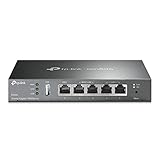
Before we get to our review of the best basic routers, let’s browse through some relevant products on Amazon:


As an Amazon Associate I earn from qualifying purchases.
Prices and availability are accurate as of November 26, 2026 11:02 and are subject to change.
Introduction to Basic Routers
Basic routers are a fundamental component of modern computer networks, providing a crucial link between devices and the internet. They are responsible for directing traffic between different networks, ensuring that data packets reach their intended destinations. With the increasing demand for reliable and efficient internet connectivity, the role of basic routers has become more important than ever.
Basic routers are designed to handle a variety of tasks, including routing, switching, and security. They are typically equipped with multiple Ethernet ports, allowing users to connect multiple devices to the router. Additionally, many basic routers also support wireless connectivity, enabling devices to connect to the network without the need for cables. This flexibility makes basic routers an essential part of any home or small office network.
When it comes to choosing the right router, there are many factors to consider. Users need to think about the size of their network, the number of devices they need to connect, and the level of security they require. With so many options available, it can be difficult to know where to start. However, by doing some research and reading reviews, users can find the best basic routers for their needs.
By investing in a reliable and efficient basic router, users can enjoy fast and secure internet connectivity, without breaking the bank. Whether you are setting up a new network or upgrading an existing one, finding the best basic routers can make all the difference. With the right router in place, users can stream videos, play online games, and browse the web with confidence, knowing that their network is running smoothly and efficiently.
Top 5 Best Basic Routers
The
TP-Link Archer C7 AC1750 Router V2
is a highly-rated basic router that offers excellent performance and features at an affordable price. It has a dual-band frequency of 2.4GHz and 5GHz, providing fast and reliable internet connectivity. The router also comes with four Gigabit Ethernet ports, allowing users to connect multiple devices at high speeds. Additionally, it has a built-in USB port for sharing files and media across the network.
In terms of range and coverage, the
TP-Link Archer C7 AC1750 Router V2
performs exceptionally well, with three external antennas providing a strong and stable signal. The router is also easy to set up and manage, with a user-friendly interface and mobile app for remote access. Overall, the TP-Link Archer C7 AC1750 Router V2 is a great option for those looking for a reliable and feature-rich basic router. With its excellent performance, range, and affordability, it’s a top choice for home and small office networks.
The
Netgear R6700 Nighthawk AC1750 Router R6700-100NAS
is a powerful and feature-rich basic router that offers fast and reliable internet connectivity. It has a dual-band frequency of 2.4GHz and 5GHz, providing speeds of up to 1750Mbps. The router also comes with four Gigabit Ethernet ports and a built-in USB port for sharing files and media. Additionally, it has a strong and stable signal, with three external antennas providing excellent range and coverage.
In terms of performance, the
Netgear R6700 Nighthawk AC1750 Router R6700-100NAS
is highly impressive, with fast speeds and low latency. The router is also easy to set up and manage, with a user-friendly interface and mobile app for remote access. The Netgear R6700 Nighthawk AC1750 Router R6700-100NAS also has a number of advanced features, including Quality of Service (QoS) and parental controls. Overall, the Netgear R6700 Nighthawk AC1750 Router R6700-100NAS is a great option for those looking for a high-performance basic router.
The
Linksys EA6350 AC1200 Router EA6350-4B
is a budget-friendly basic router that offers fast and reliable internet connectivity. It has a dual-band frequency of 2.4GHz and 5GHz, providing speeds of up to 1200Mbps. The router also comes with four Gigabit Ethernet ports and a built-in USB port for sharing files and media. Additionally, it has a strong and stable signal, with two external antennas providing excellent range and coverage.
In terms of value, the
Linksys EA6350 AC1200 Router EA6350-4B
is highly impressive, offering excellent performance and features at an affordable price. The router is also easy to set up and manage, with a user-friendly interface and mobile app for remote access. The Linksys EA6350 AC1200 Router EA6350-4B also has a number of advanced features, including Quality of Service (QoS) and parental controls. Overall, the Linksys EA6350 AC1200 Router EA6350-4B is a great option for those looking for a budget-friendly basic router.
The
D-Link DIR-867 AC1750 Router DIR-867-US
is a highly-rated basic router that offers fast and reliable internet connectivity. It has a dual-band frequency of 2.4GHz and 5GHz, providing speeds of up to 1750Mbps. The router also comes with four Gigabit Ethernet ports and a built-in USB port for sharing files and media. Additionally, it has a strong and stable signal, with four external antennas providing excellent range and coverage.
In terms of performance, the
D-Link DIR-867 AC1750 Router DIR-867-US
is highly impressive, with fast speeds and low latency. The router is also easy to set up and manage, with a user-friendly interface and mobile app for remote access. The D-Link DIR-867 AC1750 Router DIR-867-US also has a number of advanced features, including Quality of Service (QoS) and parental controls. Overall, the D-Link DIR-867 AC1750 Router DIR-867-US is a great option for those looking for a high-performance basic router.
The
Asus RT-AC66U B1 AC1750 Router RT-AC66U-B1
is a highly-rated basic router that offers fast and reliable internet connectivity. It has a dual-band frequency of 2.4GHz and 5GHz, providing speeds of up to 1750Mbps. The router also comes with four Gigabit Ethernet ports and a built-in USB port for sharing files and media. Additionally, it has a strong and stable signal, with three external antennas providing excellent range and coverage.
In terms of features, the
Asus RT-AC66U B1 AC1750 Router RT-AC66U-B1
is highly impressive, with a number of advanced features including Quality of Service (QoS), parental controls, and AiProtection for network security. The router is also easy to set up and manage, with a user-friendly interface and mobile app for remote access. Overall, the Asus RT-AC66U B1 AC1750 Router RT-AC66U-B1 is a great option for those looking for a feature-rich basic router. With its excellent performance, range, and features, it’s a top choice for home and small office networks.
Why People Need to Buy Basic Routers
In today’s digital age, having a reliable internet connection is essential for various aspects of life, including work, education, and entertainment. A basic router is a crucial device that enables users to connect to the internet and access various online services. It allows multiple devices to share the same internet connection, making it a necessary component of any home or office network.
A basic router provides a simple and cost-effective way to set up a home network, allowing users to connect their devices to the internet and share files, printers, and other resources. It is an essential device for anyone who wants to stay connected to the internet and access various online services, such as email, social media, and streaming platforms. Moreover, a basic router is easy to set up and configure, making it a great option for those who are not tech-savvy.
When it comes to choosing a router, there are many options available in the market, ranging from basic to advanced models. However, for most users, a basic router is sufficient to meet their internet needs. The best basic routers are designed to provide fast and reliable internet connectivity, making them ideal for streaming, browsing, and online gaming. They are also affordable and easy to maintain, making them a great option for those on a budget.
In conclusion, buying a basic router is a necessary investment for anyone who wants to stay connected to the internet and access various online services. It provides a simple and cost-effective way to set up a home network and connect multiple devices to the internet. With so many options available in the market, users can choose a basic router that meets their specific needs and budget, and enjoy fast and reliable internet connectivity. Whether you are a student, a professional, or a homeowner, a basic router is an essential device that can help you stay connected and productive.
Key Features to Consider When Buying a Basic Router
When purchasing a basic router, it’s essential to consider several key features that will impact its performance and functionality. One of the most critical factors is the router’s wireless standard, which determines the speed and range of the network. The most common wireless standards are 802.11ac and 802.11n, with 802.11ac being the faster and more reliable option. Another crucial feature to consider is the number of Ethernet ports, which determines how many devices can be connected to the router via a wired connection.
In addition to wireless standards and Ethernet ports, the router’s processing power and memory also play a significant role in its performance. A router with a faster processor and more memory can handle more devices and traffic, making it a better option for larger households or small businesses. The router’s security features are also essential, with features like WPA2 encryption and a built-in firewall helping to protect the network from unauthorized access and malicious activity.
The design and build quality of the router are also important considerations, with a well-designed router being easier to set up and use. A router with a simple and intuitive interface can make it easier to configure and manage the network, while a compact design can make it easier to place the router in a convenient location. Some routers also come with additional features like USB ports and Quality of Service (QoS) settings, which can be useful for specific applications like file sharing and online gaming.
Overall, considering these key features can help you choose a basic router that meets your needs and provides reliable and fast network connectivity. By evaluating the router’s wireless standard, Ethernet ports, processing power, security features, design, and additional features, you can make an informed decision and select a router that provides the best performance and value for your money.
Setting Up and Configuring a Basic Router
Setting up and configuring a basic router can seem like a daunting task, but it’s actually a relatively straightforward process. The first step is to physically connect the router to your modem and power it on, then connect to the router using a computer or mobile device. Most routers come with a setup wizard that guides you through the configuration process, which typically involves setting the router’s language, country, and time zone, as well as configuring the wireless network settings.
Once the initial setup is complete, you can configure the router’s advanced settings, such as the network name and password, security settings, and Quality of Service (QoS) settings. It’s also a good idea to change the router’s default admin password and set up a guest network to provide secure access to visitors. Some routers also come with additional features like parental controls and network monitoring, which can be useful for managing and securing the network.
To configure the router, you’ll typically need to access the web-based interface using a web browser, then log in using the admin username and password. From there, you can navigate to the various settings menus and configure the router to your liking. It’s a good idea to save your changes and restart the router to ensure that the new settings take effect. If you encounter any issues during the setup process, you can usually find troubleshooting guides and support resources on the manufacturer’s website.
In addition to the web-based interface, some routers also come with mobile apps that allow you to configure and manage the network on-the-go. These apps can be useful for monitoring the network, configuring settings, and receiving notifications and alerts. By following the setup wizard and configuring the router’s settings, you can get your basic router up and running quickly and easily, and start enjoying fast and reliable network connectivity.
Troubleshooting Common Issues with Basic Routers
Despite their simplicity, basic routers can still experience issues and problems that require troubleshooting. One of the most common issues is a loss of connectivity, which can be caused by a variety of factors including interference from other devices, physical obstructions, and issues with the router itself. To troubleshoot this issue, you can try restarting the router, checking the physical connections, and adjusting the router’s position to improve the signal strength.
Another common issue is slow network speeds, which can be caused by a range of factors including congestion on the network, issues with the internet service provider, and limitations of the router itself. To troubleshoot this issue, you can try upgrading the router’s firmware, adjusting the Quality of Service (QoS) settings, and optimizing the network configuration. You can also try using a network analyzer tool to identify bottlenecks and areas for improvement.
In addition to these issues, basic routers can also experience problems with wireless connectivity, including dropped connections and poor signal strength. To troubleshoot these issues, you can try adjusting the wireless channel, updating the router’s firmware, and using a range extender to improve the signal strength. You can also try resetting the router to its factory settings and reconfiguring the network from scratch.
By following these troubleshooting steps and using the manufacturer’s support resources, you can resolve common issues with your basic router and get your network up and running quickly and easily. It’s also a good idea to regularly update the router’s firmware and perform maintenance tasks to prevent issues from arising in the first place and ensure optimal network performance.
Upgrading and Expanding a Basic Router Network
As your network grows and evolves, you may need to upgrade or expand your basic router to meet your changing needs. One way to do this is to add a range extender, which can help improve the signal strength and coverage of the network. You can also try adding a wireless access point, which can provide additional connectivity options and improve the overall performance of the network.
Another way to upgrade your basic router network is to add a switch or hub, which can provide additional Ethernet ports and improve the wired connectivity options. You can also try upgrading the router itself, either by replacing it with a newer model or by adding a more advanced router to the network. This can provide additional features and capabilities, such as improved security, faster speeds, and better reliability.
In addition to these upgrades, you can also try optimizing the network configuration to improve performance and efficiency. This can involve adjusting the Quality of Service (QoS) settings, optimizing the wireless channel, and using a network analyzer tool to identify bottlenecks and areas for improvement. You can also try using a network management tool to monitor and manage the network, which can help you identify issues and optimize performance.
By upgrading and expanding your basic router network, you can improve its performance, reliability, and functionality, and provide a better experience for all users. Whether you’re adding new devices, expanding the network, or upgrading the router itself, there are many ways to take your basic router network to the next level and meet your changing needs.
Buying Guide for Choosing the Right Basic Router
When it comes to setting up a home network, a router is an essential piece of equipment. With so many options available in the market, it can be overwhelming to choose the right one, especially for those who are not tech-savvy. In this guide, we will discuss the key factors to consider when buying a basic router, helping you make an informed decision and find the best basic routers for your needs.
Speed and Performance
The speed and performance of a router are crucial in determining the quality of your internet connection. A faster router can handle multiple devices and provide a more stable connection. When looking for a basic router, consider the speed rating, which is usually measured in megabits per second (Mbps) or gigabits per second (Gbps). A higher speed rating means that the router can handle more data and provide a faster connection. For example, a router with a speed rating of 300 Mbps can handle small to medium-sized homes with multiple devices.
The speed and performance of a router also depend on the type of technology used. Look for routers that use the latest wireless standards, such as Wi-Fi 5 or Wi-Fi 6. These standards offer faster speeds and better performance than older standards. Additionally, consider the number of bands supported by the router. A dual-band router can handle both 2.4 GHz and 5 GHz frequencies, providing a more reliable connection and better performance. This is especially important if you have multiple devices that use different frequencies.
Range and Coverage
The range and coverage of a router are critical in ensuring that your devices can connect to the internet from anywhere in your home. A router with a longer range can cover larger areas, providing a more reliable connection. When looking for a basic router, consider the range rating, which is usually measured in square feet. A higher range rating means that the router can cover a larger area. For example, a router with a range rating of 1,500 square feet can cover a small to medium-sized home.
The range and coverage of a router also depend on the type of antennas used. Look for routers with external antennas, which can provide a better range and coverage than internal antennas. Additionally, consider the type of materials used in your home, such as walls and floors. These materials can affect the range and coverage of the router, so look for routers that are designed to penetrate these materials. Some routers also come with features such as beamforming, which can help improve the range and coverage by focusing the signal on specific devices.
Security Features
The security features of a router are essential in protecting your devices and data from cyber threats. When looking for a basic router, consider the type of security features offered, such as firewall protection, VPN support, and antivirus software. A good router should have a built-in firewall that can block unauthorized access to your network. Additionally, look for routers that support VPNs, which can provide an extra layer of security when accessing public networks.
The security features of a router also depend on the type of encryption used. Look for routers that use the latest encryption standards, such as WPA2 or WPA3. These standards offer better protection than older standards, such as WEP. Additionally, consider the type of password protection offered by the router. A good router should have a strong password protection system that can prevent unauthorized access to your network. Some routers also come with features such as parental controls, which can help restrict access to certain websites and content.
Number of Ports and Connectivity Options
The number of ports and connectivity options on a router can affect the number of devices that can be connected to the network. When looking for a basic router, consider the number of Ethernet ports, which can provide a wired connection to devices such as computers and smart TVs. A good router should have at least four Ethernet ports, which can provide a reliable connection to multiple devices. Additionally, look for routers that have USB ports, which can provide a connection to devices such as printers and external hard drives.
The number of ports and connectivity options on a router also depend on the type of wireless connectivity offered. Look for routers that have multiple wireless bands, such as 2.4 GHz and 5 GHz. These bands can provide a more reliable connection and better performance than single-band routers. Additionally, consider the type of devices that you want to connect to the network, such as smartphones and tablets. Some routers come with features such as guest networking, which can provide a separate network for guests and help improve security.
Ease of Setup and Management
The ease of setup and management of a router can affect the overall user experience. When looking for a basic router, consider the type of setup process offered, such as a web-based interface or a mobile app. A good router should have a simple and intuitive setup process that can be completed in a few minutes. Additionally, look for routers that have a user-friendly interface, which can provide easy access to settings and features.
The ease of setup and management of a router also depend on the type of features offered, such as quality of service (QoS) settings and network monitoring tools. A good router should have features that can help prioritize traffic and optimize network performance. Additionally, consider the type of customer support offered by the manufacturer, such as online resources and phone support. Some routers also come with features such as automatic firmware updates, which can help improve security and performance.
Price and Value
The price and value of a router can affect the overall cost of ownership. When looking for a basic router, consider the price of the router, which can range from under $50 to over $200. A good router should offer a balance of features and price, providing a good value for the money. Additionally, look for routers that have a good warranty, which can provide protection against defects and failures.
The price and value of a router also depend on the type of features offered, such as advanced security features and high-speed performance. A good router should have features that can provide a good return on investment, such as improved network performance and increased productivity. Additionally, consider the type of brand reputation and customer reviews, which can provide an indication of the quality and reliability of the router. Some routers also come with features such as energy-saving modes, which can help reduce power consumption and save money on energy bills.
FAQ
What is the main difference between a basic router and a high-end router?
The main difference between a basic router and a high-end router lies in their features, performance, and price. Basic routers are designed to provide a simple and reliable internet connection, with a limited set of features and a lower price point. They are suitable for small homes or apartments with a few devices connected to the internet. On the other hand, high-end routers offer advanced features such as better range, faster speeds, and more customization options, making them ideal for larger homes or businesses with multiple devices and heavy internet usage.
In terms of specific features, basic routers usually have a single-band or dual-band Wi-Fi capability, a limited number of Ethernet ports, and a basic firewall. High-end routers, on the other hand, often have tri-band or mesh Wi-Fi capabilities, more Ethernet ports, and advanced security features such as parental controls and antivirus software. Additionally, high-end routers tend to have better quality of service (QoS) settings, which allow for prioritizing certain types of internet traffic, such as online gaming or video streaming. Overall, the choice between a basic router and a high-end router depends on the specific needs and budget of the user.
How do I choose the best basic router for my home network?
To choose the best basic router for your home network, you need to consider several factors, including the size of your home, the number of devices that will be connected to the internet, and your budget. You should also think about the type of internet activities you will be doing, such as browsing, streaming, or online gaming, as this will affect the required speed and performance of the router. Additionally, you should check the compatibility of the router with your internet service provider (ISP) and the type of internet connection you have, such as DSL, cable, or fiber.
When selecting a basic router, look for features such as Wi-Fi range, speed, and security. A good basic router should have a reliable Wi-Fi signal that can cover your entire home, with speeds that are fast enough to support your internet activities. You should also consider the security features of the router, such as WPA2 encryption and a built-in firewall, to protect your network from unauthorized access and malware. Finally, check the reviews and ratings of the router from other users to get an idea of its performance and reliability in real-world usage.
What are the key features to look for in a basic router?
The key features to look for in a basic router include Wi-Fi range and speed, number of Ethernet ports, and security features. A good basic router should have a reliable Wi-Fi signal that can cover a small to medium-sized home, with speeds that are fast enough to support browsing, streaming, and online gaming. The number of Ethernet ports is also important, as it will determine how many devices can be connected to the router via a wired connection. Additionally, the router should have basic security features such as WPA2 encryption and a built-in firewall to protect the network from unauthorized access and malware.
In terms of specific specifications, look for a basic router with a Wi-Fi speed of at least 300Mbps, and a range that can cover up to 1,500 square feet. The router should also have at least two Ethernet ports, and support for the latest Wi-Fi standards, such as 802.11ac or 802.11n. Furthermore, the router should have a user-friendly interface that makes it easy to set up and configure, as well as a reliable and stable connection that can support multiple devices. Finally, consider the price of the router, as basic routers can range from under $50 to over $100, depending on the features and performance.
Can I use a basic router for online gaming and streaming?
Yes, you can use a basic router for online gaming and streaming, but it may not provide the best performance, especially if you have a large home or multiple devices connected to the internet. Basic routers are designed to provide a reliable internet connection, but they may not have the advanced features and high-speed capabilities that are required for demanding online activities such as gaming and streaming. However, if you have a small home and only a few devices connected to the internet, a basic router may be sufficient for casual online gaming and streaming.
For more demanding online activities, you may need to consider a mid-range or high-end router that has advanced features such as QoS settings, which allow for prioritizing certain types of internet traffic, and faster Wi-Fi speeds, such as 802.11ac or 802.11ax. Additionally, you may need to consider a router with a more powerful processor and more memory, which can help to improve the performance and reduce lag and buffering. Furthermore, you should also consider the internet plan you have, as a faster internet plan will require a more capable router to take full advantage of the available speeds.
How do I set up and configure a basic router?
To set up and configure a basic router, you will typically need to follow a series of steps that are outlined in the user manual or on the manufacturer’s website. First, you will need to physically connect the router to your modem and power it on. Then, you will need to connect to the router using a computer or mobile device, and access the web-based interface using a default IP address and login credentials. From there, you can change the admin password, set up the Wi-Fi network, and configure the basic settings, such as the SSID and encryption method.
Once you have completed the initial setup, you can further configure the router to suit your needs. This may include setting up port forwarding, which allows certain types of internet traffic to bypass the router’s firewall, and configuring the QoS settings, which allow for prioritizing certain types of internet traffic. You can also set up parental controls, which allow you to restrict access to certain websites or types of content, and configure the guest network, which allows visitors to access the internet without having access to your main network. Finally, you should regularly update the router’s firmware to ensure that you have the latest security patches and features.
What is the difference between a single-band and dual-band router?
The main difference between a single-band and dual-band router is the type of Wi-Fi signal they transmit. A single-band router transmits a 2.4GHz Wi-Fi signal, which is the most common type of Wi-Fi signal and is compatible with most devices. However, the 2.4GHz band can be prone to interference from other devices, such as cordless phones and microwaves, which can reduce the performance and range of the Wi-Fi signal. A dual-band router, on the other hand, transmits both 2.4GHz and 5GHz Wi-Fi signals, which provides more flexibility and better performance, especially in environments with a lot of interference.
The 5GHz band is generally less prone to interference and provides faster speeds and better performance, but it has a shorter range and is not compatible with all devices. Dual-band routers allow you to connect devices to either the 2.4GHz or 5GHz band, depending on their capabilities and your specific needs. For example, you can connect devices that require a lot of bandwidth, such as smart TVs and gaming consoles, to the 5GHz band, and devices that require less bandwidth, such as smartphones and tablets, to the 2.4GHz band. This allows for better performance and more efficient use of the available bandwidth.
How often should I restart my basic router?
It is generally recommended to restart your basic router every few months to ensure that it continues to function properly and provide a reliable internet connection. Restarting the router can help to clear out any temporary issues or glitches that may have developed, and can also help to ensure that the router is running with the latest firmware and settings. Additionally, restarting the router can help to improve the performance and range of the Wi-Fi signal, especially if you have a lot of devices connected to the internet.
However, you should not need to restart your router frequently, such as every day or every week, unless you are experiencing specific issues or problems. If you find that you need to restart your router frequently, it may be a sign of a more underlying issue, such as a problem with the internet connection or a malfunctioning device. In this case, you should try to troubleshoot the issue or contact your ISP or the manufacturer of the router for further assistance. It is also a good idea to check the manufacturer’s recommendations for restarting the router, as some routers may have specific requirements or guidelines for restarting.
Verdict
In today’s digital age, having a reliable and efficient router is crucial for seamless internet connectivity. With numerous options available in the market, choosing the right one can be overwhelming, especially for those who are not tech-savvy. However, by considering key factors such as speed, range, and compatibility, individuals can make informed decisions that cater to their specific needs. Whether you are setting up a home network or upgrading your existing one, it is essential to prioritize your requirements and budget to ensure that you get the most out of your investment.
Ultimately, investing in one of the best basic routers can significantly enhance your online experience, providing you with fast and stable connections that support your daily activities. By opting for a high-quality basic router, you can enjoy uninterrupted browsing, streaming, and gaming, without breaking the bank. With the information provided in this guide, you are now better equipped to navigate the market and find the perfect device that meets your needs and expectations. Remember to weigh your options carefully and consider factors that matter most to you, and you will be well on your way to enjoying a seamless and efficient online experience with one of the best basic routers.