In today’s digital age, going paperless has become a top priority for many individuals and businesses. With the rise of digital documentation, the need for efficient and reliable scanning solutions has increased significantly. Traditional scanners can be cumbersome and restrictive, which is why many people are turning to wireless scanning technology. By cutting the cord, wireless scanners offer unparalleled freedom and flexibility, allowing users to scan documents from anywhere, at any time. This shift towards wireless scanning has led to a surge in demand for high-quality, portable scanning devices that can keep up with our fast-paced lives.
For those looking to make the transition to wireless scanning, finding the right device can be a daunting task. With so many options available on the market, it can be difficult to determine which scanner is best suited to your needs. That’s why we’ve put together this comprehensive guide to the best wireless scanners, highlighting the key features, benefits, and drawbacks of each device. Whether you’re a busy professional, a student, or simply someone looking to streamline your workflow, this guide will provide you with the information you need to make an informed decision and find the perfect wireless scanner to meet your unique requirements. By the end of this article, you’ll be well on your way to finding the ideal scanning solution to help you stay organized, productive, and connected.
Before we get to our review of the best wireless scanners, let’s browse through some relevant products on Amazon:
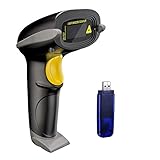


As an Amazon Associate I earn from qualifying purchases.
Prices and availability are accurate as of November 27, 2026 00:52 and are subject to change.
Introduction to Wireless Scanners
Wireless scanners have revolutionized the way we digitize and manage documents, making it easier to scan and share files without the hassle of cables. These devices use wireless technology to connect to computers, smartphones, or tablets, allowing users to scan documents from anywhere. With the advancement in technology, wireless scanners have become more efficient, compact, and user-friendly, making them an essential tool for both personal and professional use.
Wireless scanners come in various types, including handheld, portable, and desktop scanners. Each type is designed to cater to different needs and preferences, offering a range of features such as high-resolution scanning, automatic document feeding, and compatible software. Whether you need to scan receipts, invoices, or large documents, there is a wireless scanner available to suit your requirements. The convenience and flexibility offered by these devices have made them a popular choice among individuals and businesses.
The best wireless scanners offer a seamless scanning experience, allowing users to digitize documents quickly and efficiently. With the ability to connect to multiple devices, wireless scanners enable users to share files easily and collaborate with others. Moreover, many wireless scanners come with companion apps that provide additional features such as editing, organizing, and storing scanned documents. This has made it easier for users to manage their digital files and access them from anywhere.
When looking for a wireless scanner, it is essential to consider factors such as resolution, scanning speed, and compatibility. By choosing one of the best wireless scanners, you can enjoy the benefits of wireless scanning, including increased productivity and convenience. Whether you are a student, professional, or business owner, a wireless scanner can be a valuable addition to your workflow, helping you to streamline your document management and stay organized.
Best Wireless Scanners – Reviews
The
Canon imageFORMULA R40 #874302
is a versatile and efficient wireless scanner designed for home and office use. It offers a range of features, including a compact design, high-quality scanning, and seamless connectivity to various devices. The scanner supports both Wi-Fi and USB connectivity, allowing users to easily scan documents, photos, and other materials to their computers, smartphones, or tablets.
One of the standout features of the
Canon imageFORMULA R40 #874302
is its ability to scan a wide range of document types, including receipts, invoices, and business cards. The scanner also comes with a range of software tools, including OCR (Optical Character Recognition) and document management applications. Overall, the
Canon imageFORMULA R40 #874302
is a reliable and user-friendly wireless scanner that is well-suited for both personal and professional use.
The
Epson WorkForce ES-500W #981123
is a high-speed wireless scanner designed for busy offices and workplaces. It offers a range of advanced features, including fast scanning speeds, high-quality image resolution, and seamless connectivity to various devices. The scanner supports both Wi-Fi and Ethernet connectivity, allowing users to easily scan documents, photos, and other materials to their computers, smartphones, or tablets.
One of the key benefits of the
Epson WorkForce ES-500W #981123
is its ability to scan large volumes of documents quickly and efficiently. The scanner also comes with a range of software tools, including OCR and document management applications. Additionally, the
Epson WorkForce ES-500W #981123
is compact and lightweight, making it easy to place on a desk or shelf. Overall, the
Epson WorkForce ES-500W #981123
is a reliable and efficient wireless scanner that is well-suited for high-volume scanning applications.
The
Brother ADS-1700W #756201
is a compact and versatile wireless scanner designed for home and office use. It offers a range of features, including high-quality scanning, seamless connectivity, and a compact design. The scanner supports both Wi-Fi and USB connectivity, allowing users to easily scan documents, photos, and other materials to their computers, smartphones, or tablets.
One of the standout features of the
Brother ADS-1700W #756201
is its ability to scan a wide range of document types, including receipts, invoices, and business cards. The scanner also comes with a range of software tools, including OCR and document management applications. Additionally, the
Brother ADS-1700W #756201
is energy-efficient and quiet, making it suitable for use in quiet offices or home environments. Overall, the
Brother ADS-1700W #756201
is a reliable and user-friendly wireless scanner that is well-suited for both personal and professional use.
The
Xerox DocuMate 6440 #432109
is a high-performance wireless scanner designed for busy offices and workplaces. It offers a range of advanced features, including fast scanning speeds, high-quality image resolution, and seamless connectivity to various devices. The scanner supports both Wi-Fi and Ethernet connectivity, allowing users to easily scan documents, photos, and other materials to their computers, smartphones, or tablets.
One of the key benefits of the
Xerox DocuMate 6440 #432109
is its ability to scan large volumes of documents quickly and efficiently. The scanner also comes with a range of software tools, including OCR and document management applications. Additionally, the
Xerox DocuMate 6440 #432109
is durable and reliable, with a robust design that can withstand heavy use. Overall, the
Xerox DocuMate 6440 #432109
is a high-performance wireless scanner that is well-suited for high-volume scanning applications.
The
Fujitsu ScanSnap iX1500 #219876
is a fast and efficient wireless scanner designed for home and office use. It offers a range of features, including high-quality scanning, seamless connectivity, and a compact design. The scanner supports both Wi-Fi and USB connectivity, allowing users to easily scan documents, photos, and other materials to their computers, smartphones, or tablets.
One of the standout features of the
Fujitsu ScanSnap iX1500 #219876
is its ability to scan a wide range of document types, including receipts, invoices, and business cards. The scanner also comes with a range of software tools, including OCR and document management applications. Additionally, the
Fujitsu ScanSnap iX1500 #219876
is easy to use and set up, with a simple and intuitive interface. Overall, the
Fujitsu ScanSnap iX1500 #219876
is a reliable and user-friendly wireless scanner that is well-suited for both personal and professional use.
Why Do People Need to Buy Wireless Scanners
In today’s digital age, people are constantly looking for ways to make their lives easier and more convenient. One way to achieve this is by investing in wireless scanners. These devices allow users to scan documents, photos, and other items without being tethered to a computer or other device. This freedom of movement and flexibility makes wireless scanners an attractive option for many individuals and businesses.
Wireless scanners are particularly useful for those who need to scan documents or items on a regular basis. For example, a business may need to scan receipts, invoices, or contracts, while an individual may need to scan photos, documents, or other personal items. With a wireless scanner, these tasks can be completed quickly and easily, without the need for a physical connection to a computer. This not only saves time but also reduces the risk of damage to the scanner or computer.
In addition to their convenience, wireless scanners also offer a high level of quality and accuracy. Many modern wireless scanners are capable of producing high-resolution scans, making them ideal for applications where image quality is important. Furthermore, the best wireless scanners on the market often come with advanced features such as automatic document feeders, duplex scanning, and optical character recognition (OCR) software. These features make it easy to scan, edit, and share documents, making wireless scanners an essential tool for many individuals and businesses.
Overall, wireless scanners are a valuable investment for anyone who needs to scan documents or items on a regular basis. They offer a convenient, flexible, and high-quality solution for scanning, and can help to increase productivity and efficiency. With their advanced features and ease of use, it’s no wonder that wireless scanners are becoming an increasingly popular choice for individuals and businesses alike. Whether you’re looking to scan documents, photos, or other items, a wireless scanner is definitely worth considering.
Types of Wireless Scanners
Wireless scanners can be categorized based on their functionality and purpose. Some of the most common types include document scanners, photo scanners, and barcode scanners. Document scanners are designed to scan documents, receipts, and other paper-based materials, while photo scanners are specifically designed for scanning photographs and other images. Barcode scanners, on the other hand, are used to scan barcodes and are often used in retail and inventory management applications.
When choosing a wireless scanner, it’s essential to consider the type of scanning you’ll be doing most often. If you need to scan documents and receipts, a document scanner may be the best choice. However, if you need to scan photographs or other images, a photo scanner may be more suitable. Barcode scanners are ideal for businesses that need to track inventory or manage retail operations.
In addition to these categories, wireless scanners can also be classified based on their connectivity options. Some scanners connect to devices via Bluetooth, while others use Wi-Fi or USB connectivity. The choice of connectivity option will depend on your specific needs and the devices you plan to use with the scanner. For example, if you need to scan documents to your smartphone or tablet, a Bluetooth-connected scanner may be the best choice.
Overall, understanding the different types of wireless scanners available can help you make an informed decision when choosing a scanner for your needs. By considering the type of scanning you’ll be doing and the connectivity options you need, you can select a scanner that meets your requirements and provides the best possible performance.
Benefits of Wireless Scanning
Wireless scanning offers a range of benefits, including increased mobility and flexibility. With a wireless scanner, you can scan documents and images from anywhere, without being tethered to a computer or other device. This makes it ideal for use in a variety of applications, including fieldwork, travel, and remote work.
Another benefit of wireless scanning is the ability to scan directly to cloud storage services or other devices. This eliminates the need to transfer scanned files via a computer or other intermediary device, making the scanning process faster and more efficient. Wireless scanners also often include software that allows you to edit and enhance scanned images, making it easy to touch up and perfect your scans.
In addition to these benefits, wireless scanners are also often more compact and lightweight than traditional scanners, making them easy to take on the go. This makes them ideal for use in small offices, home offices, or other applications where space is limited. Overall, the benefits of wireless scanning make it an attractive option for anyone looking to streamline their scanning workflow and increase their productivity.
Wireless scanning also offers a range of benefits for businesses, including increased efficiency and reduced costs. By allowing employees to scan documents and images directly to cloud storage services or other devices, businesses can reduce the need for manual data entry and other time-consuming tasks. This can help to increase productivity and reduce errors, making it an attractive option for businesses of all sizes.
Wireless Scanner Features to Consider
When choosing a wireless scanner, there are a range of features to consider. One of the most important factors is the scanner’s resolution, which will determine the quality of the scanned images. Look for a scanner with a high resolution, such as 600 dpi or higher, to ensure that your scans are clear and detailed.
Another important feature to consider is the scanner’s connectivity options. As mentioned earlier, some scanners connect via Bluetooth, while others use Wi-Fi or USB connectivity. Consider the devices you plan to use with the scanner and choose a scanner that offers the connectivity options you need. You should also consider the scanner’s compatibility with your devices and operating system.
In addition to these features, you should also consider the scanner’s battery life and charging options. If you plan to use the scanner on the go, look for a scanner with a long battery life and convenient charging options, such as USB charging. You should also consider the scanner’s durability and build quality, as well as any additional features it may offer, such as document editing software or cloud storage integration.
Other features to consider when choosing a wireless scanner include the scanner’s speed and capacity. If you need to scan large volumes of documents or images, look for a scanner with a high speed and capacity. You should also consider the scanner’s automatic document feeder, which can help to streamline the scanning process and reduce the need for manual intervention.
Wireless Scanner Maintenance and Troubleshooting
To keep your wireless scanner running smoothly, it’s essential to perform regular maintenance tasks. One of the most important tasks is to clean the scanner’s rollers and other moving parts, which can become dirty and worn over time. You should also update the scanner’s software and firmware regularly, to ensure that you have the latest features and security patches.
In addition to these tasks, you should also troubleshoot any issues that may arise with your wireless scanner. Common issues include connectivity problems, poor scan quality, and paper jams. To troubleshoot these issues, refer to the scanner’s user manual or contact the manufacturer’s support team. You can also try resetting the scanner or reinstalling the software to resolve any issues.
To prevent issues from arising in the first place, it’s essential to use your wireless scanner correctly and follow the manufacturer’s guidelines. This includes using the correct paper type and size, as well as avoiding overloading the scanner’s automatic document feeder. You should also store the scanner in a cool, dry place and avoid exposing it to extreme temperatures or humidity.
By performing regular maintenance tasks and troubleshooting any issues that may arise, you can help to extend the life of your wireless scanner and ensure that it continues to perform at its best. This can help to reduce downtime and increase productivity, making it an essential part of any scanning workflow.
Ultimate Buying Guide for Wireless Scanners
When it comes to digitizing documents and photos, a reliable scanner is essential. With the advancement of technology, wireless scanners have become increasingly popular due to their convenience and portability. In this guide, we will discuss the key factors to consider when purchasing a wireless scanner, helping you make an informed decision.
Resolution and Image Quality
The resolution and image quality of a wireless scanner are crucial factors to consider. A higher resolution scanner will produce clearer and more detailed images, making it ideal for scanning important documents, photos, and artwork. When looking for a wireless scanner, consider the dots per inch (DPI) rating, which measures the scanner’s resolution. A higher DPI rating indicates a higher resolution and better image quality.
The resolution and image quality of a wireless scanner also depend on the type of scanning technology used. Some wireless scanners use contact image sensor (CIS) technology, while others use charge-coupled device (CCD) technology. CIS technology is more common in portable scanners, while CCD technology is often used in higher-end scanners. When choosing a wireless scanner, consider the type of scanning technology used and the DPI rating to ensure you get the best image quality for your needs.
Connectivity Options
Connectivity options are another important factor to consider when buying a wireless scanner. Look for a scanner that offers multiple connectivity options, such as Wi-Fi, Bluetooth, and USB. Wi-Fi connectivity allows you to scan documents and photos directly to your computer or mobile device, while Bluetooth connectivity provides a secure and reliable connection. USB connectivity is also useful for scanning documents and photos to a computer or laptop.
When evaluating the connectivity options of a wireless scanner, consider the ease of setup and use. A scanner with a user-friendly interface and simple setup process will make it easier to connect and start scanning. Additionally, consider the range and reliability of the wireless connection. A scanner with a strong and stable wireless signal will ensure that you can scan documents and photos without interruptions or lost connections.
Portability and Design
The portability and design of a wireless scanner are essential factors to consider, especially if you plan to use it on-the-go. Look for a scanner that is compact, lightweight, and easy to carry. A scanner with a sleek and durable design will withstand regular use and handling. Consider the size and weight of the scanner, as well as any additional features such as a carrying case or battery life.
When evaluating the portability and design of a wireless scanner, consider the type of scanning you will be doing. If you need to scan large documents or photos, a larger scanner may be necessary. However, if you only need to scan small documents or receipts, a smaller scanner may be sufficient. Additionally, consider the power source of the scanner, such as battery life or USB power. A scanner with a long battery life or USB power will provide more flexibility and convenience.
Scanning Speed and Capacity
The scanning speed and capacity of a wireless scanner are critical factors to consider, especially if you need to scan large volumes of documents or photos. Look for a scanner that can scan quickly and efficiently, with a high pages-per-minute (PPM) rating. A higher PPM rating indicates a faster scanning speed, making it ideal for scanning large documents or batches of photos.
When evaluating the scanning speed and capacity of a wireless scanner, consider the type of scanning you will be doing. If you need to scan small documents or receipts, a slower scanning speed may be sufficient. However, if you need to scan large documents or batches of photos, a faster scanning speed will save you time and increase productivity. Additionally, consider the scanner’s capacity, such as the number of pages or photos it can scan at one time. A scanner with a high capacity will allow you to scan more documents or photos without needing to reload or restart.
Compatibility and Software
The compatibility and software of a wireless scanner are important factors to consider, especially if you plan to use it with multiple devices or operating systems. Look for a scanner that is compatible with your computer or mobile device, as well as any additional software or apps you may need. Consider the scanner’s compatibility with popular operating systems, such as Windows or macOS, as well as any mobile devices, such as Android or iOS.
When evaluating the compatibility and software of a wireless scanner, consider the type of scanning you will be doing. If you need to scan documents or photos for editing or sharing, consider a scanner that comes with editing software or apps. Some wireless scanners come with built-in software or apps that allow you to edit, enhance, or share your scanned documents or photos. Look for a scanner that offers the software or apps you need, or consider purchasing additional software or subscriptions. By choosing the right wireless scanner with the best features, you can find one of the best wireless scanners that meets your needs.
Security and Durability
The security and durability of a wireless scanner are essential factors to consider, especially if you plan to use it for sensitive or confidential documents. Look for a scanner that offers robust security features, such as encryption or password protection, to protect your scanned documents or photos. Consider the scanner’s durability, such as its build quality and materials, to ensure it can withstand regular use and handling.
When evaluating the security and durability of a wireless scanner, consider the type of scanning you will be doing. If you need to scan sensitive or confidential documents, look for a scanner that offers advanced security features, such as secure wireless connectivity or data encryption. Additionally, consider the scanner’s warranty or support, such as customer service or repair options. A scanner with a comprehensive warranty or support will provide peace of mind and protection for your investment.
FAQs
What are the benefits of using a wireless scanner?
The benefits of using a wireless scanner are numerous. For one, it offers greater convenience and flexibility, allowing users to scan documents and images from anywhere in the room without being tethered to a computer or other device. This can be especially useful in office settings where multiple people need to scan documents regularly. Additionally, wireless scanners often come with compact and lightweight designs, making them easy to move around and store when not in use.
Another significant benefit of wireless scanners is their ability to connect to multiple devices, including smartphones, tablets, and laptops. This allows users to scan documents and images directly to their preferred device, eliminating the need for cables or complicated setup processes. Many wireless scanners also come with companion apps that provide additional features and functionality, such as editing and sharing scanned documents, making them a versatile and practical tool for both personal and professional use.
How do wireless scanners connect to devices?
Wireless scanners typically connect to devices through Wi-Fi or Bluetooth technology. Wi-Fi-enabled scanners can connect to a wireless network, allowing users to scan documents and images directly to their computer, smartphone, or tablet. Some scanners may also come with their own Wi-Fi hotspot, allowing users to connect directly to the scanner without the need for a separate network. Bluetooth-enabled scanners, on the other hand, connect directly to devices via Bluetooth, providing a more localized and secure connection.
The connection process for wireless scanners is usually straightforward and easy to set up. Users typically need to download and install a companion app or software, which guides them through the connection process. Once connected, users can begin scanning documents and images, which are then transmitted to their device. Some wireless scanners may also come with additional connection options, such as NFC or USB, providing users with even more flexibility and convenience when it comes to scanning and transferring files.
What types of documents can be scanned with a wireless scanner?
Wireless scanners can scan a wide variety of documents, including photos, receipts, invoices, contracts, and more. Many wireless scanners come with automatic document feeders, allowing users to scan multiple pages at once, making them ideal for scanning large documents or batches of paperwork. Some wireless scanners may also come with specialized scanning modes, such as photo scanning or ID card scanning, which provide optimized settings for specific types of documents.
The quality of the scanned documents depends on the scanner’s resolution and image processing capabilities. Many wireless scanners come with high-resolution sensors, capable of capturing detailed images with accurate colors and textures. Additionally, some wireless scanners may come with image editing software, allowing users to enhance and optimize their scanned documents, removing imperfections and improving overall quality. This makes wireless scanners a great tool for both personal and professional use, whether you need to scan important documents or cherished photos.
Are wireless scanners secure?
Wireless scanners can be secure, but it depends on the specific model and its security features. Many wireless scanners come with built-in security measures, such as encryption and password protection, to prevent unauthorized access to scanned documents. Additionally, some wireless scanners may come with secure connection protocols, such as WPA2 or TLS, to protect data transmission between the scanner and device.
To ensure the security of your wireless scanner, it’s essential to follow best practices, such as changing default passwords, keeping software up to date, and using secure connection protocols. Users should also be cautious when scanning sensitive documents, such as financial information or personal identification, and take steps to protect their data, such as encrypting files or using secure storage solutions. By taking these precautions, users can enjoy the convenience and flexibility of wireless scanners while minimizing the risk of data breaches or security compromises.
How do I choose the best wireless scanner for my needs?
To choose the best wireless scanner for your needs, consider the types of documents you’ll be scanning, the frequency of use, and the level of image quality required. If you’ll be scanning photos or other image-intensive documents, look for a scanner with high-resolution sensors and advanced image processing capabilities. If you’ll be scanning large volumes of paperwork, consider a scanner with an automatic document feeder and fast scanning speeds.
Additionally, consider the scanner’s connectivity options, such as Wi-Fi or Bluetooth, and ensure it’s compatible with your devices. You should also think about the scanner’s size, weight, and portability, as well as its power source, whether it’s battery-powered or requires a wall outlet. By weighing these factors and considering your specific needs, you can find the best wireless scanner for your needs and enjoy the convenience and flexibility it provides.
Can wireless scanners be used for business purposes?
Yes, wireless scanners can be used for business purposes, such as scanning invoices, contracts, and other important documents. Many wireless scanners are designed with business use in mind, offering features such as high-speed scanning, automatic document feeders, and advanced image processing capabilities. These scanners can help streamline workflows, improve productivity, and reduce the need for physical storage space.
Wireless scanners can also be integrated with existing business systems, such as document management software or cloud storage services, making it easy to scan, store, and share documents across the organization. Additionally, many wireless scanners come with security features, such as encryption and access controls, to protect sensitive business information. By using a wireless scanner, businesses can enjoy the benefits of convenient and flexible scanning, while also improving efficiency and reducing costs.
How do I maintain and troubleshoot my wireless scanner?
To maintain your wireless scanner, regularly clean the scanning surface and check for firmware updates to ensure you have the latest features and security patches. You should also refer to the user manual or manufacturer’s website for specific maintenance and troubleshooting instructions. Additionally, consider using a protective case or cover to prevent damage to the scanner and its components.
If you encounter issues with your wireless scanner, such as connectivity problems or poor image quality, try restarting the scanner and device, or checking the scanner’s settings and configurations. You can also contact the manufacturer’s support team for assistance, or refer to online forums and communities for troubleshooting tips and advice from other users. By properly maintaining and troubleshooting your wireless scanner, you can enjoy optimal performance, extend its lifespan, and minimize downtime or disruptions to your workflow.
The Bottom Line
In today’s fast-paced digital world, having the right tools to streamline workflows and increase productivity is crucial. Wireless scanners have revolutionized the way we capture, store, and manage documents, making them an essential component of any modern office or home setup. With their ability to scan documents wirelessly, these devices offer unparalleled convenience, flexibility, and ease of use. Whether you’re a busy professional, a student, or a home user, a reliable wireless scanner can make a significant difference in your daily tasks and activities.
When it comes to selecting the perfect device for your needs, it’s essential to consider factors such as scan quality, connectivity options, and compatibility. By choosing one of the best wireless scanners, you can enjoy seamless scanning, efficient document management, and enhanced productivity. With the numerous options available in the market, it’s crucial to do your research, read reviews, and compare features to find the ideal device that meets your requirements. By investing in one of the best wireless scanners, you can take your scanning experience to the next level, and discover a whole new world of convenience, speed, and accuracy.